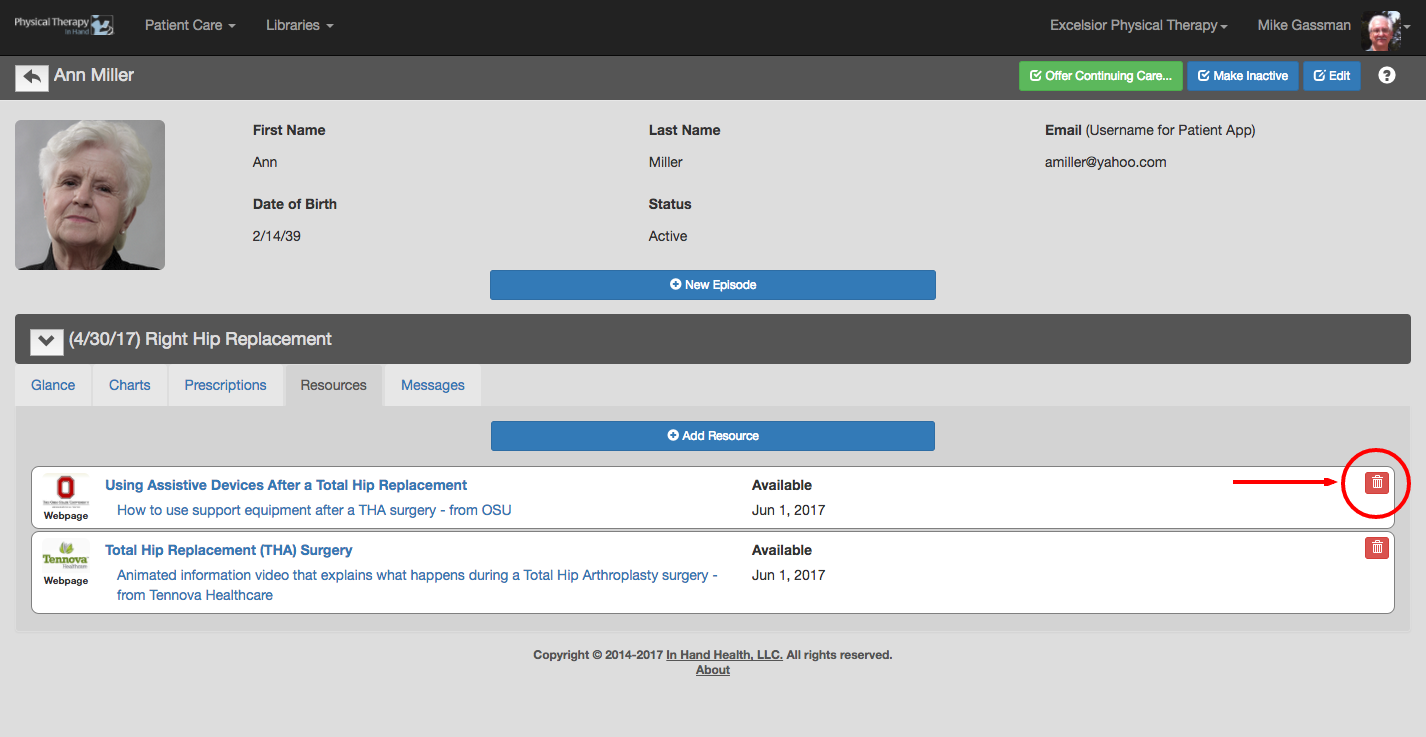
Remove a Resource from a patient's episode of care by clicking or tapping on the red trash can icon in the corner of the Resource capsule:
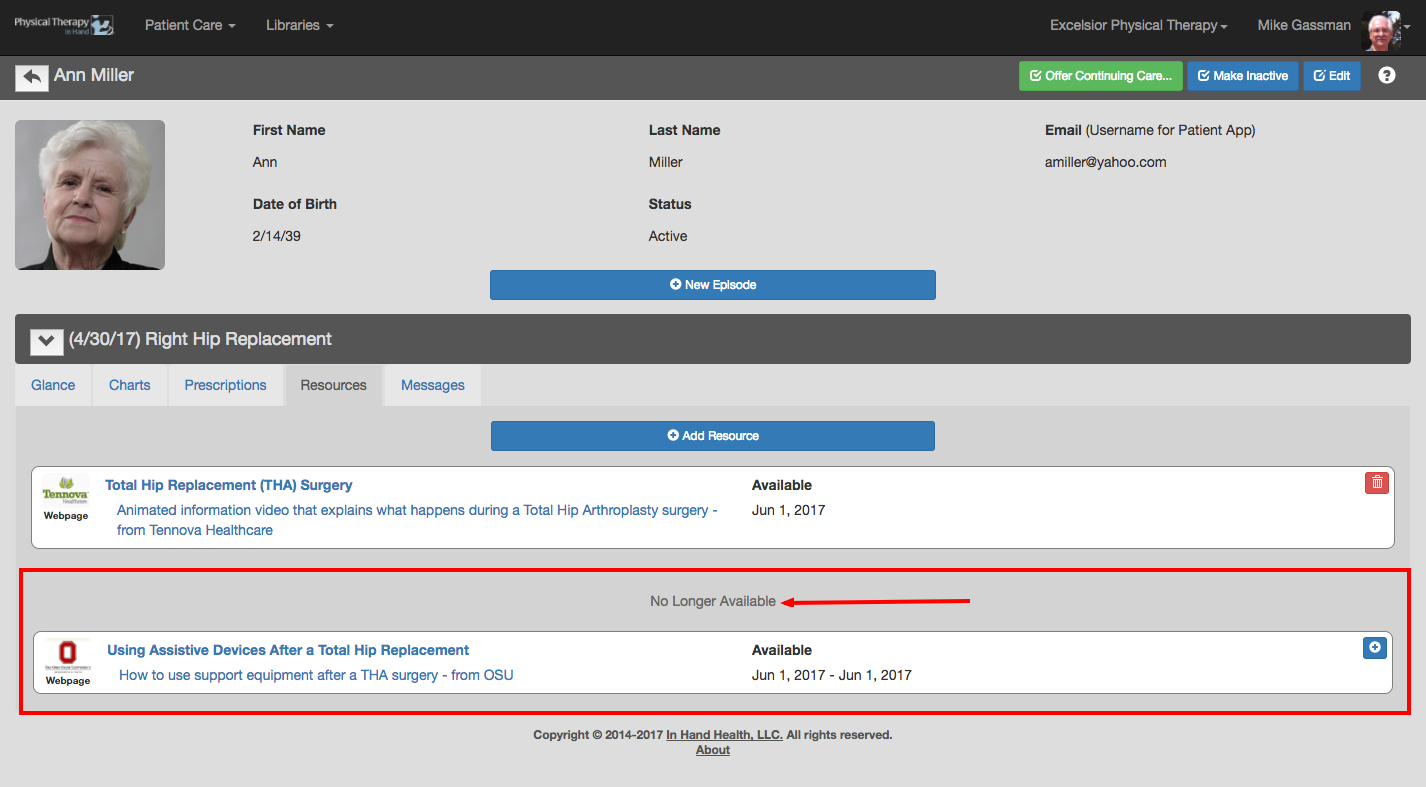
The Resource will move to the "No Longer Available" section of the Resources tab. In addition, the Resource will be removed from the patient's Resource section of their In Hand Health Patient App.
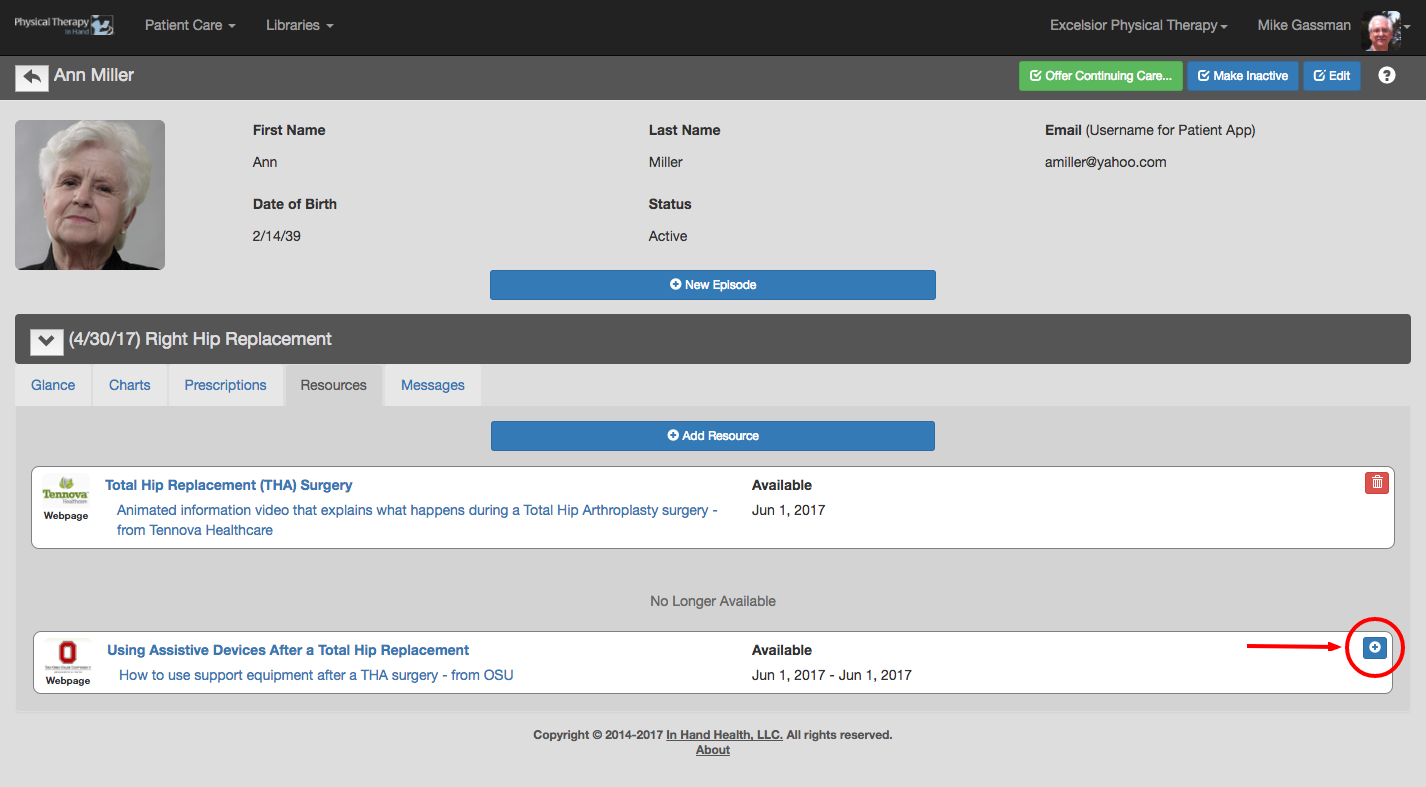
Make the Resource active again in the episode and on the patient's In Hand Health Patient App by clicking or tapping the blue plus button:
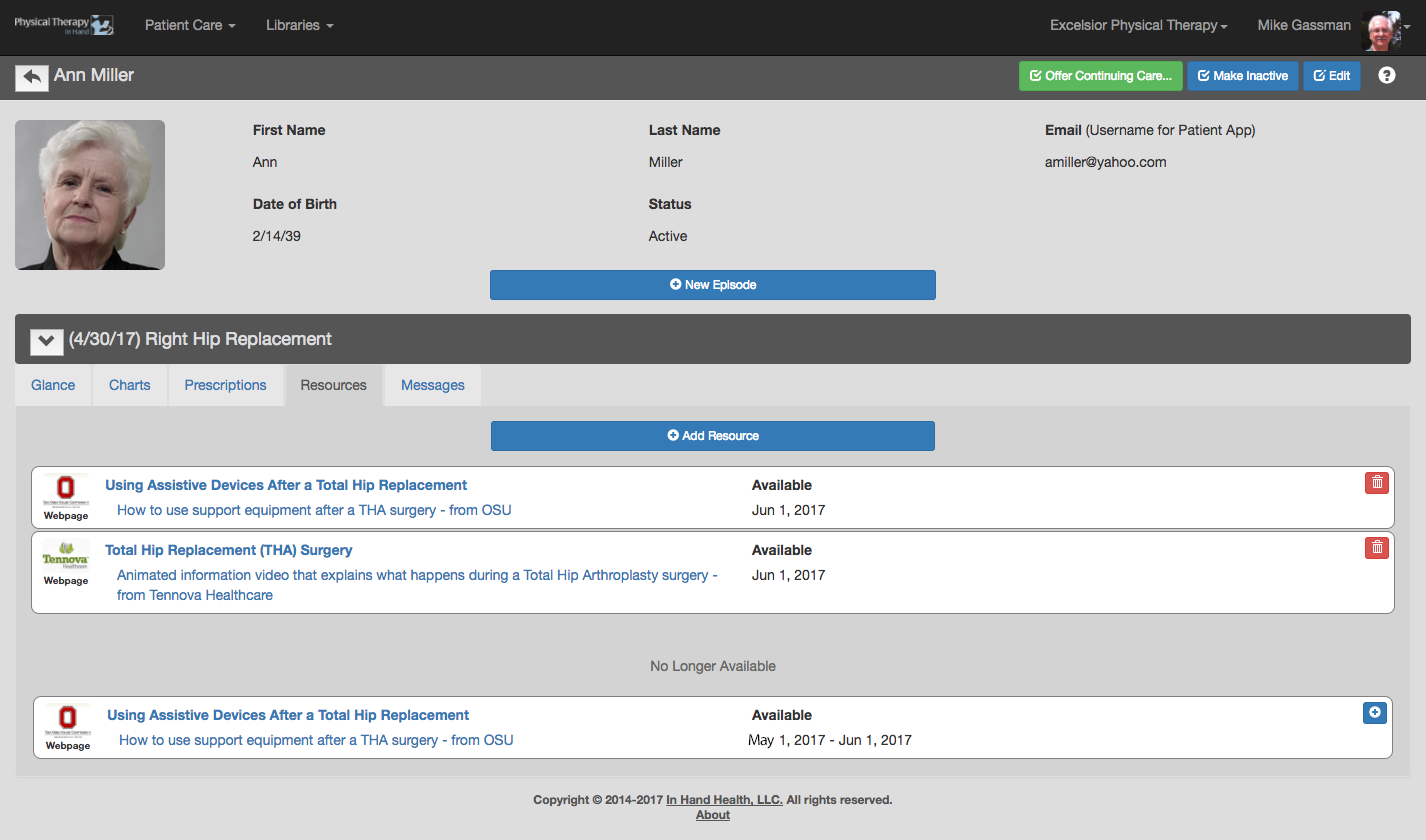
Note a record of the Resource remains in the No Longer Available section including the dates it was available to the patient.