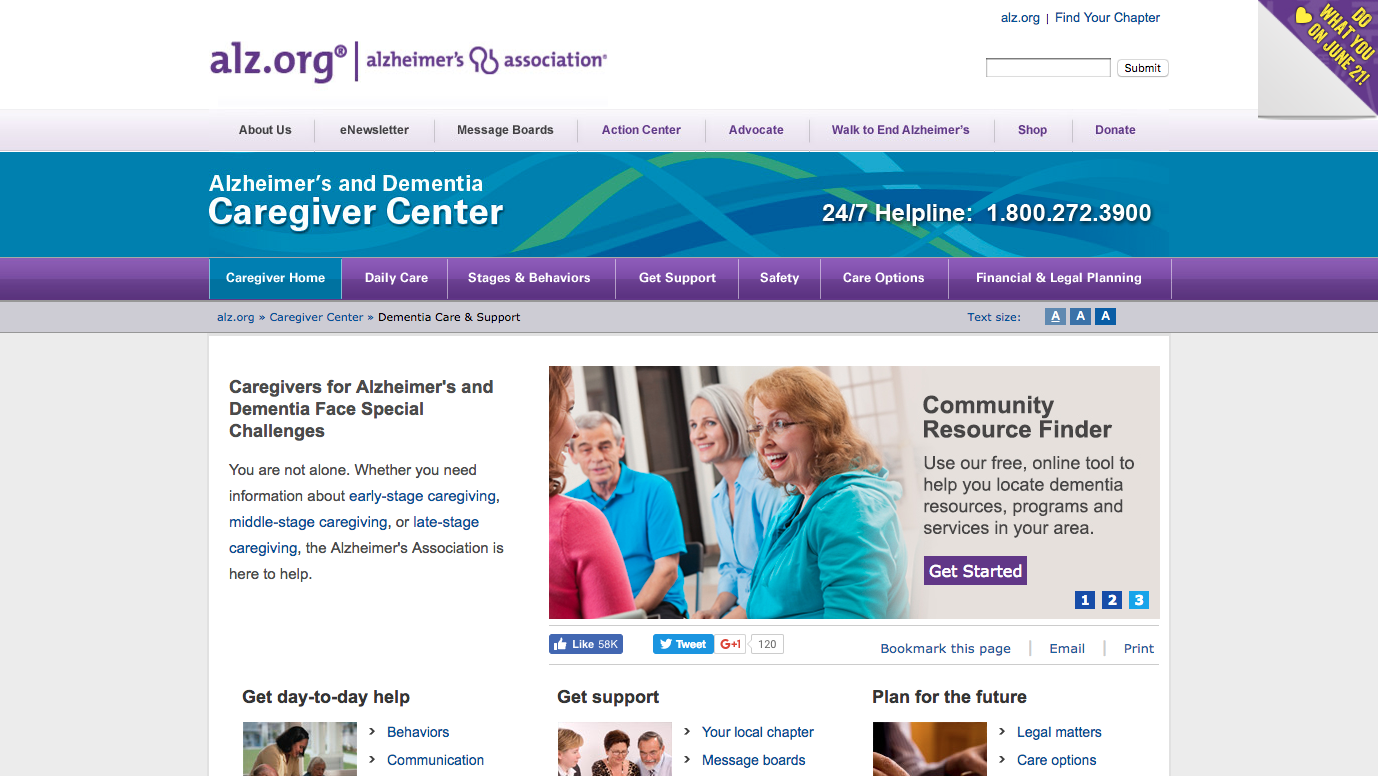
To review the resources available to send to your patients:
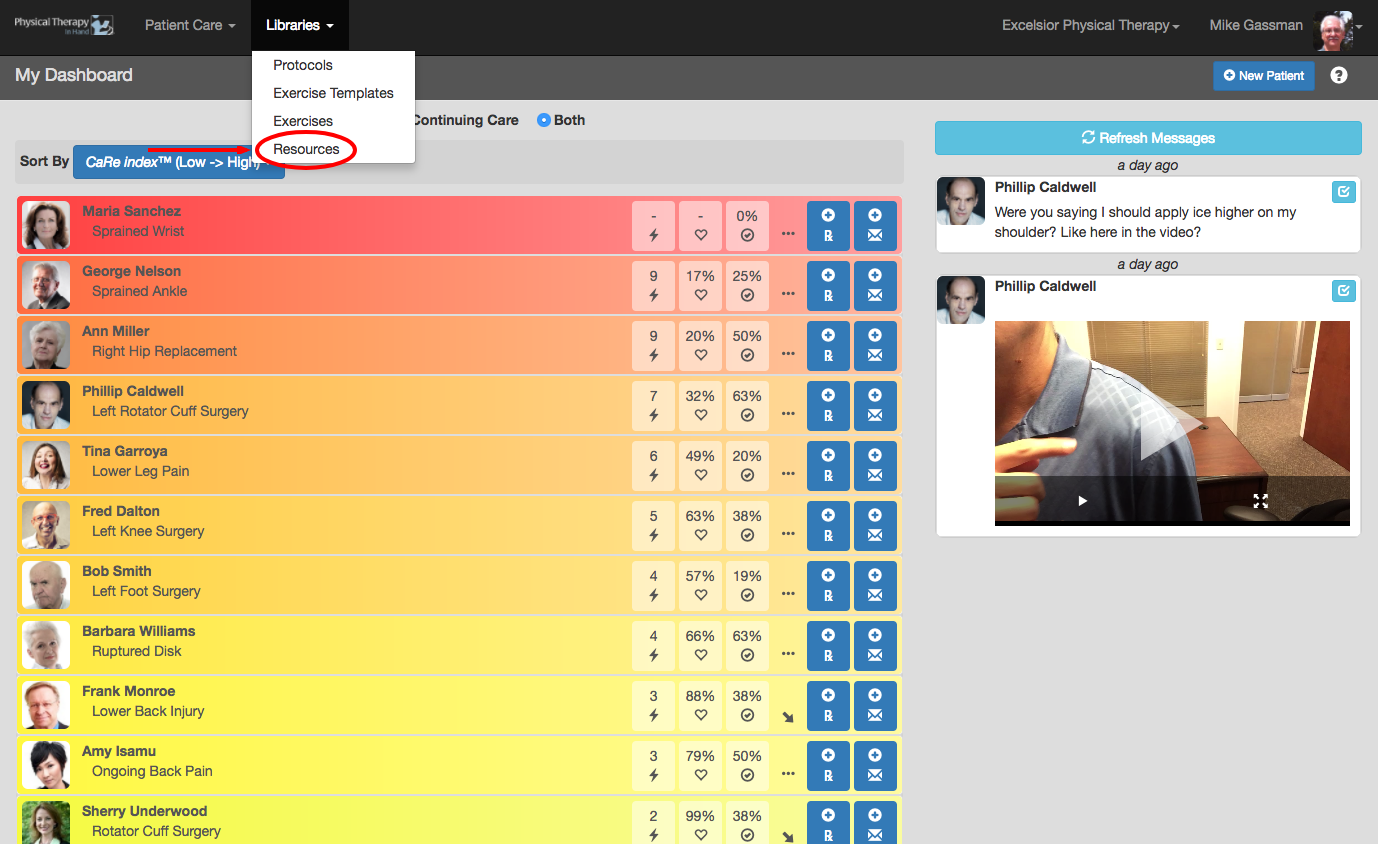
- Click or tap the Libraries menu.
- Then click or tap the Resources menu item.
- Available Resources are listed on the page. Browse the list or narrow the choices through the provided search field, radio buttons, and drop down menus.
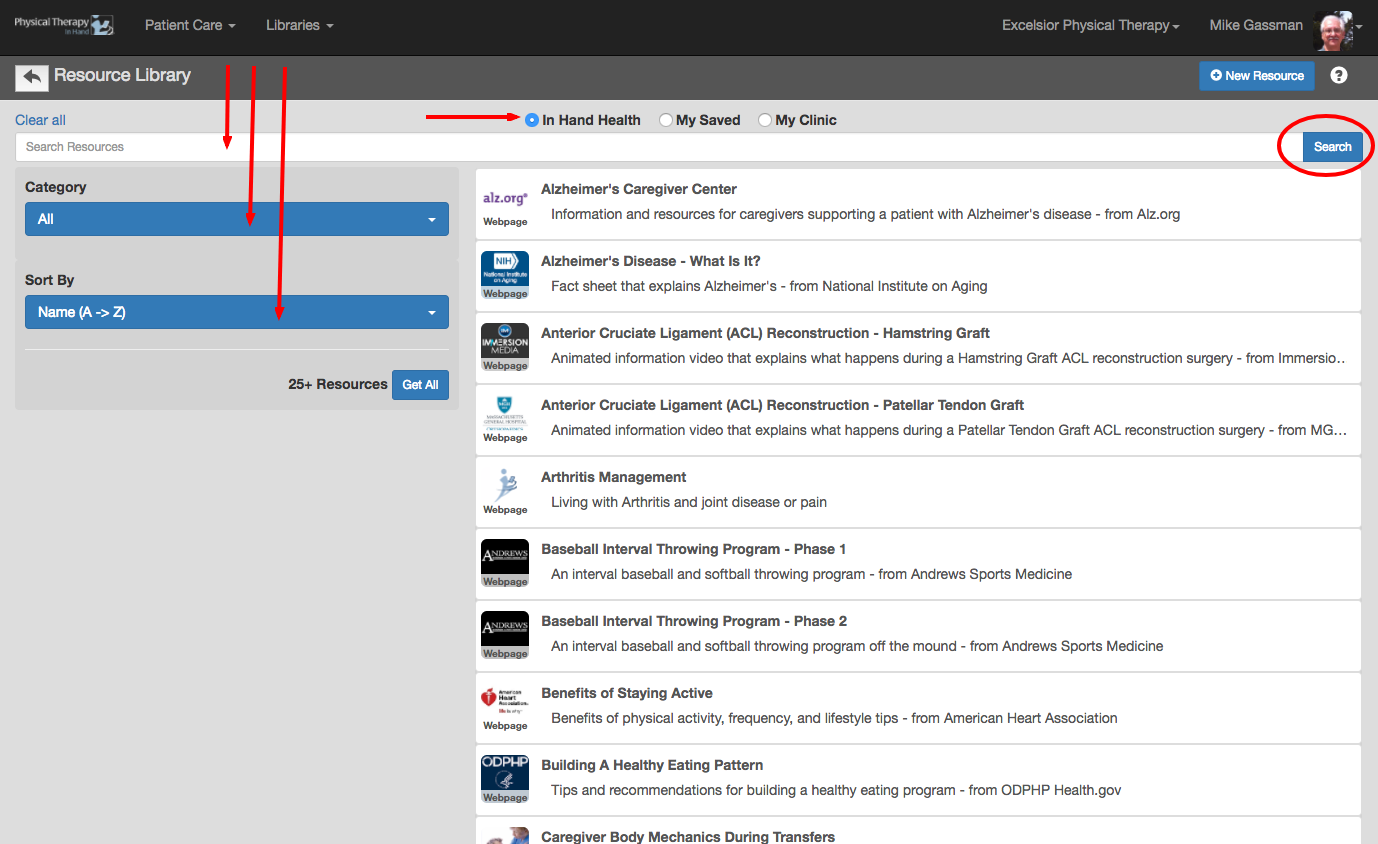
- Click or tap on an individual Resource capsule to see more detail about it.
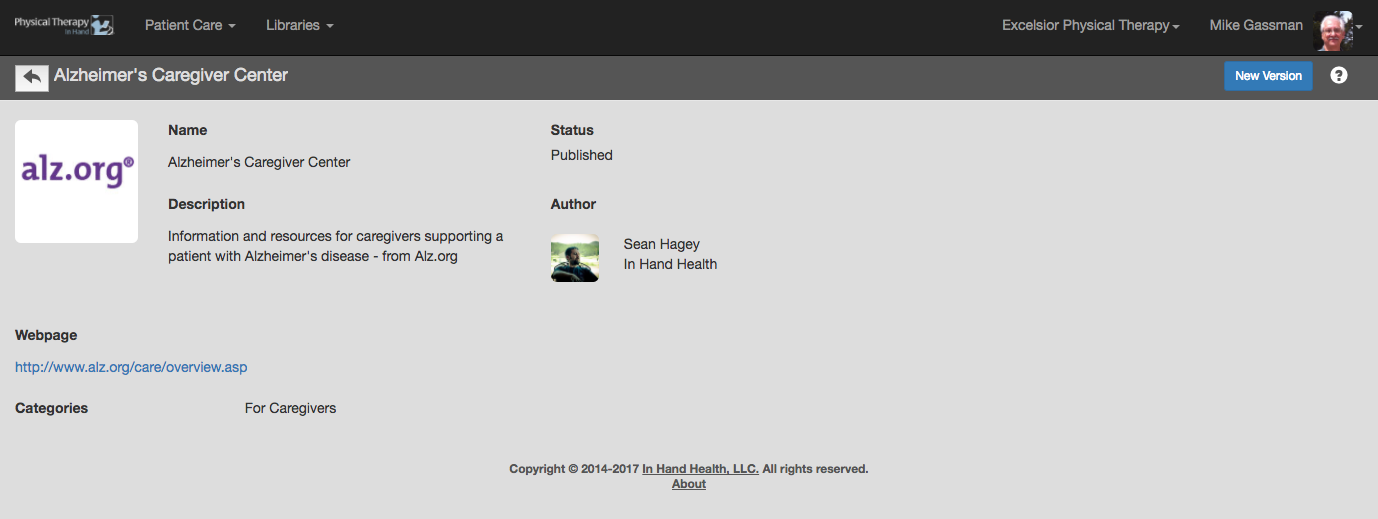
- Use the linked text on the detail page to view the actual Resource in a new tab of your web browser.