Add or Edit Patient Profile Picture
In Hand Health Support Team
- Click or tap the Edit button on a patient's record.
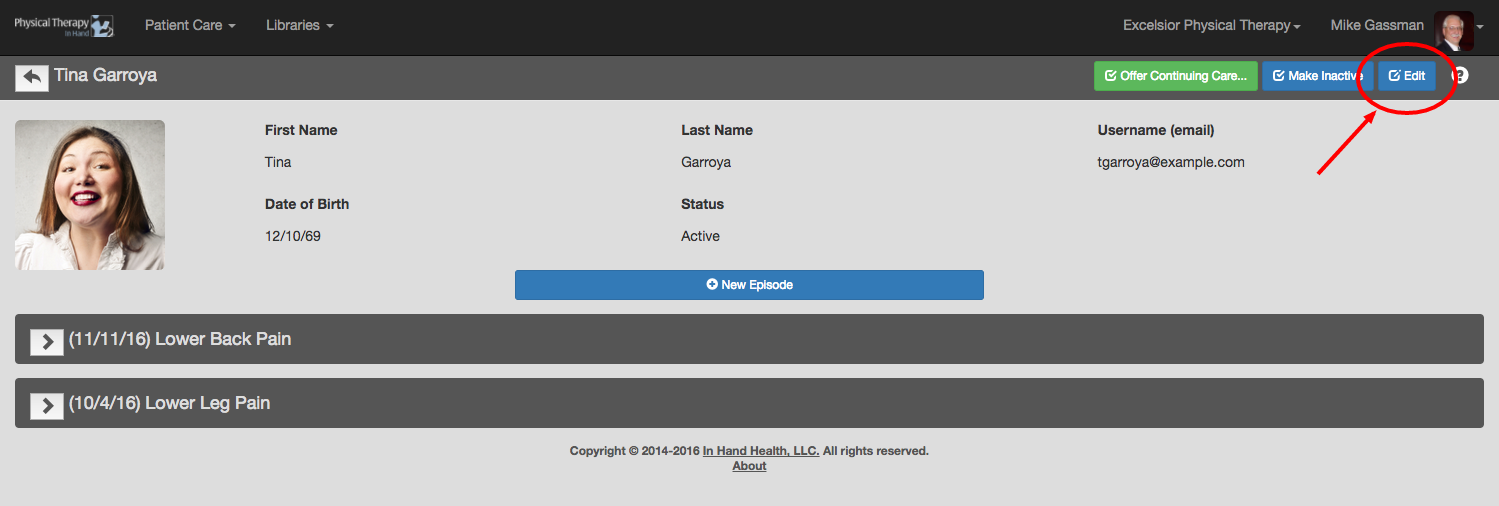
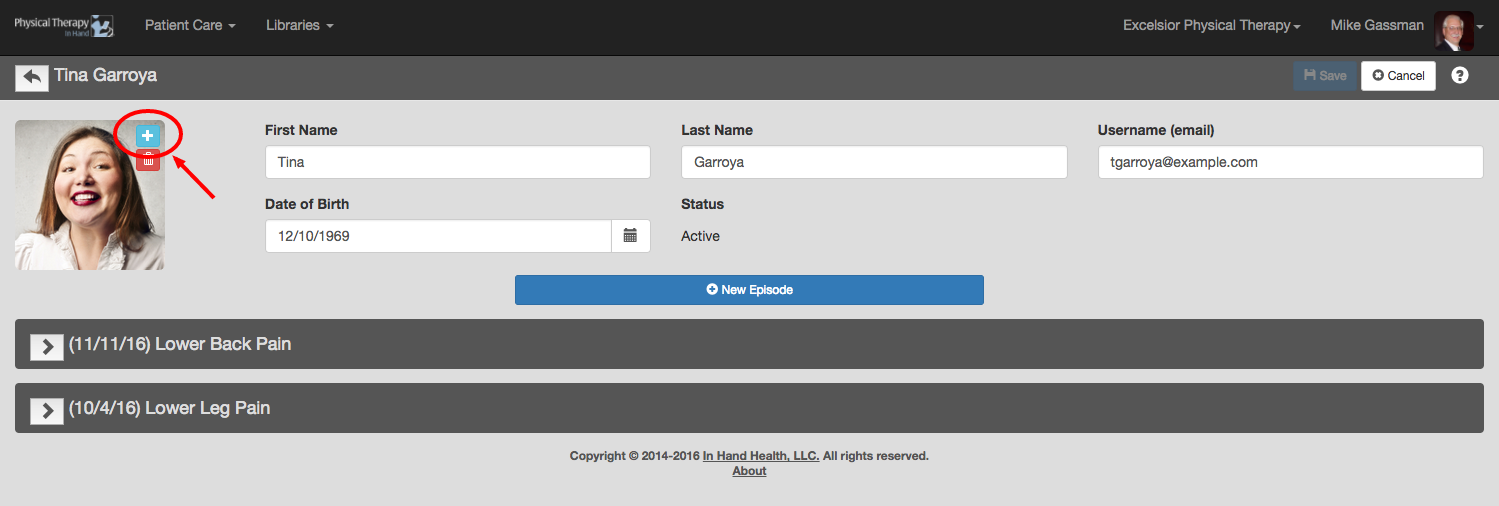
- To add or update a patient’s profile picture, click the plus (+) symbol next to the existing image.
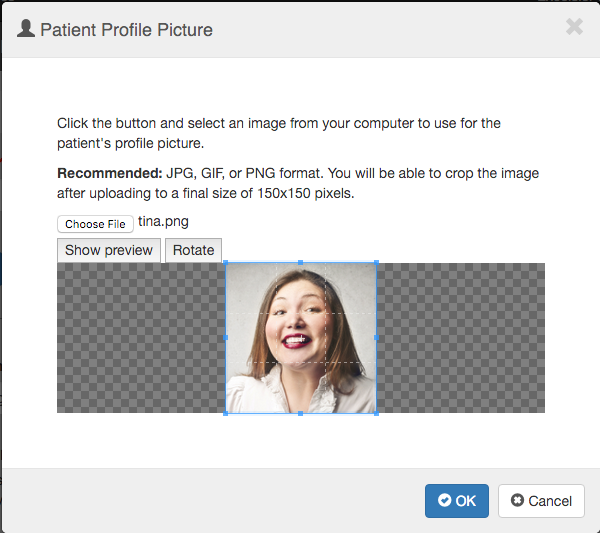
- Follow the directions in the “Patient Profile Picture” dialog box to upload and crop the new profile picture.
- Click the OK button when finished.
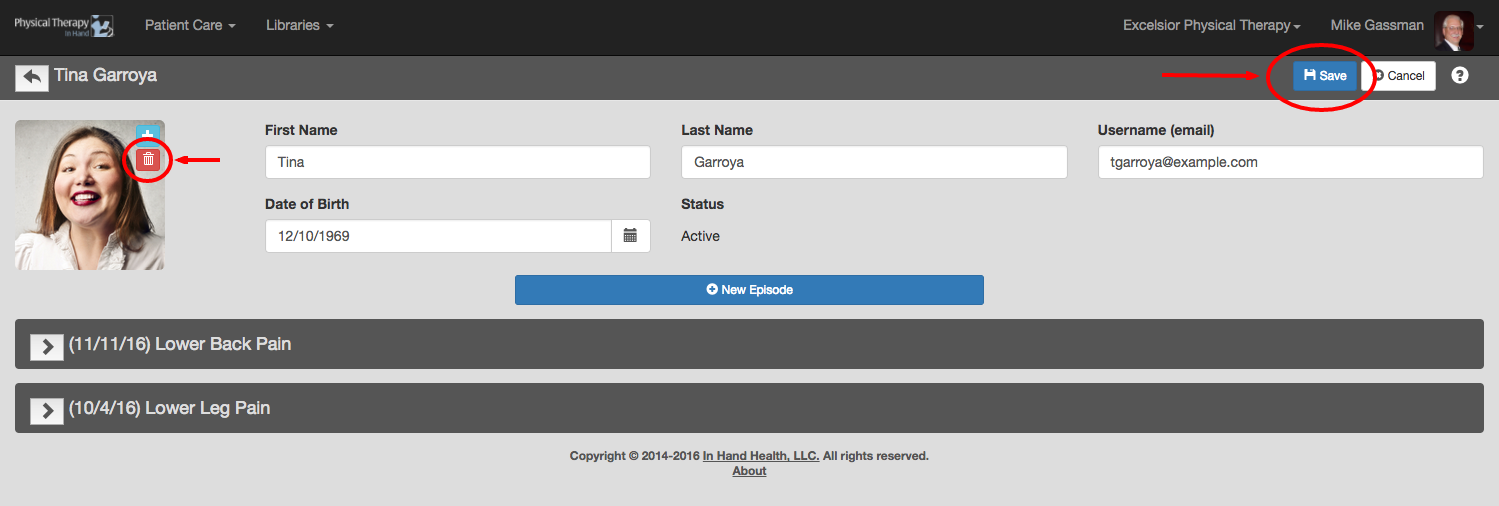
- Click the Save button to commit your changes or click the red trash can icon to delete the image or start over.
Have more questions?
Submit a request
