Follow these steps to view Exercises in your PTIH account:
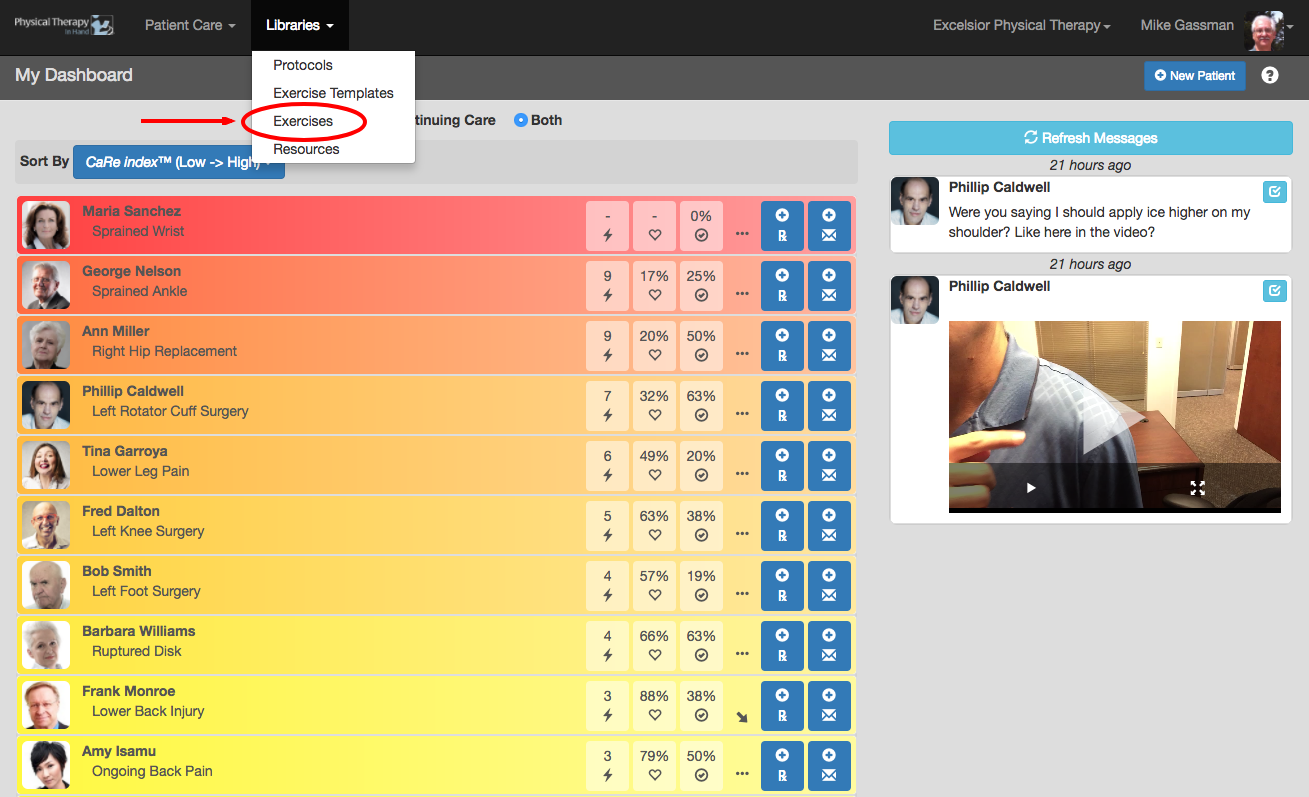
- Select Exercises from the Libraries menu.
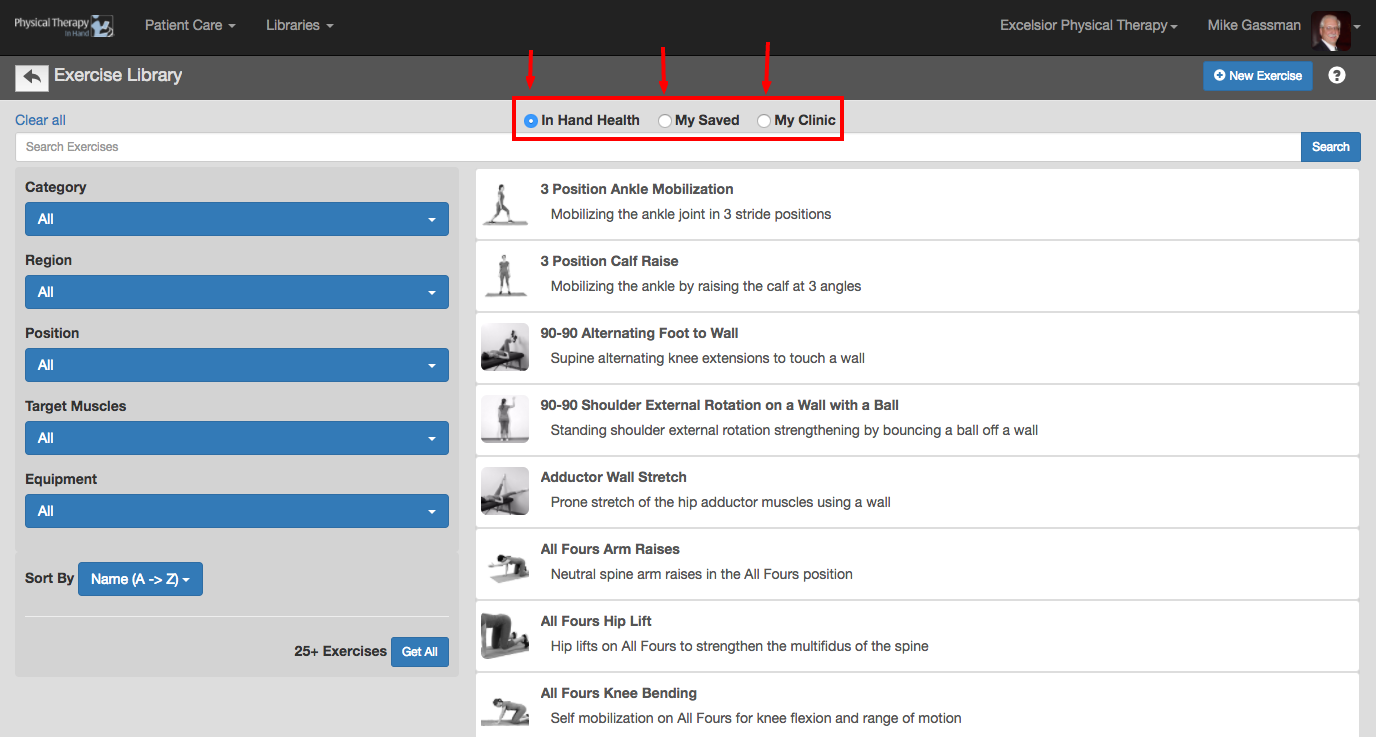
- Choose one of the following sections by clicking on the radio button proceeding its name:
- In Hand Health: Review and access PTIH’s supplied video exercises supplied by In Hand Health as part of your Clinic account.
- My Saved: Review and access exercises you have modified (either from In Hand Health, another therapist in your PTIH clinic, or from yourself) or new exercises you have uploaded on your own. Private exercises created in Therapist Essentials are also located here. Exercises saved in the My Saved section with Published status are also saved into the My Clinic section automatically where they are visible by other therapists in your PTIH Clinic.
- My Clinic: Review and access exercises from your My Saved section and exercises from the My Saved section of the other therapists in your PTIH Clinic. This section does not include exercises from therapists that are in Draft status. (Exercises marked as Private may be visible in My Clinic but can only be prescribed to the named patient by therapists who are assigned to him or her.)
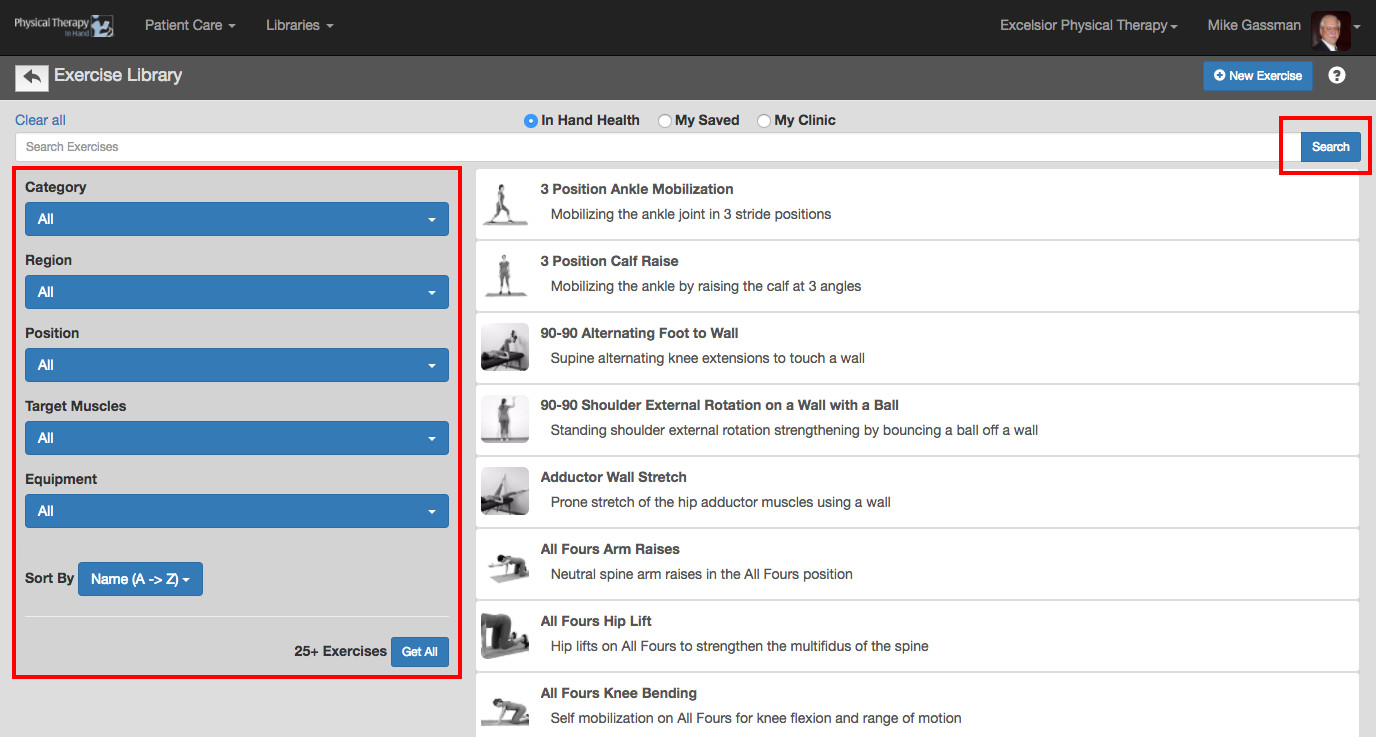
- Narrow your results in each section by entering a term in the “Search Exercises” text field and clicking the blue Search button and/or using the Category, Region, Position, Target Muscles, Equipment, and Sort By filters.
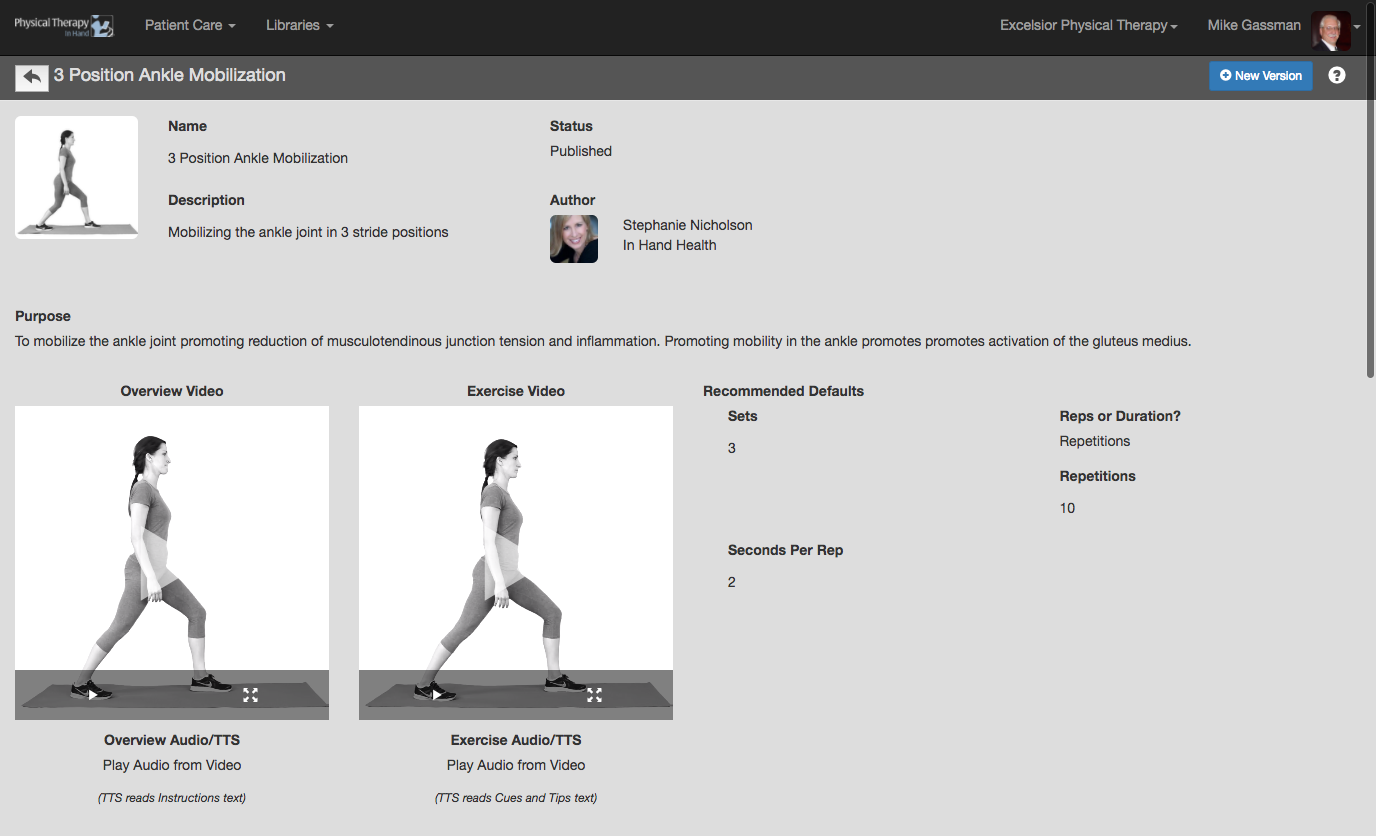
- Click or tap on an Exercise’s capsule to review its details (thumbnail images, overview and exercise videos, instructions, and more).