View the staff members in your PTIH account through the following steps:
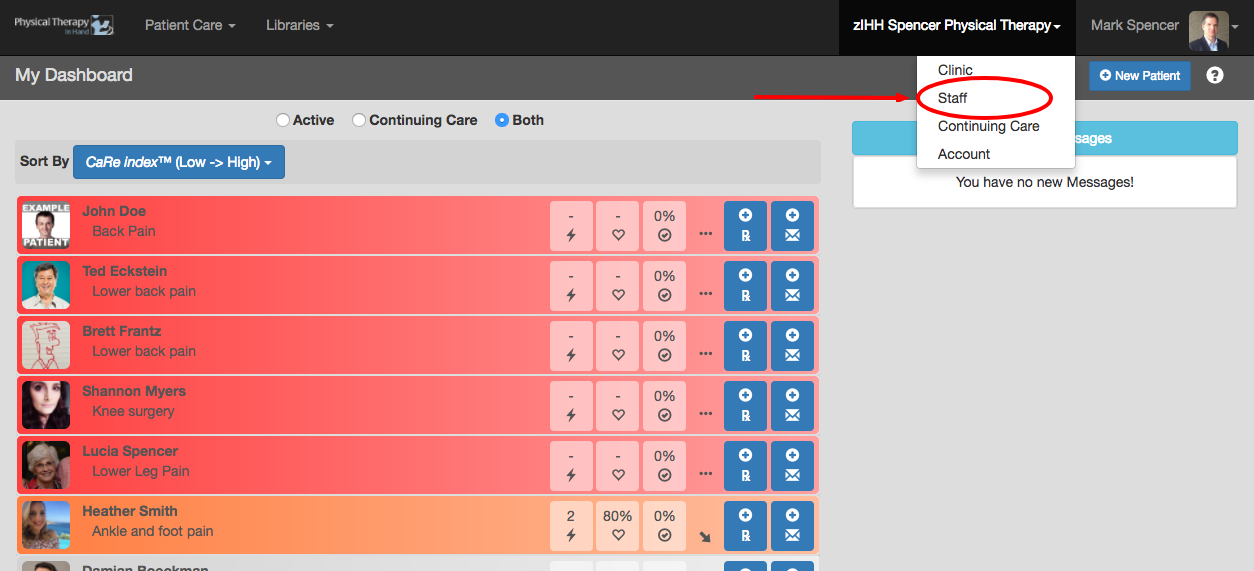
- Your clinic’s name will appear at the top of the PTIH screen.
- Click or tap the clinic’s name one time and then click or tap Staff.
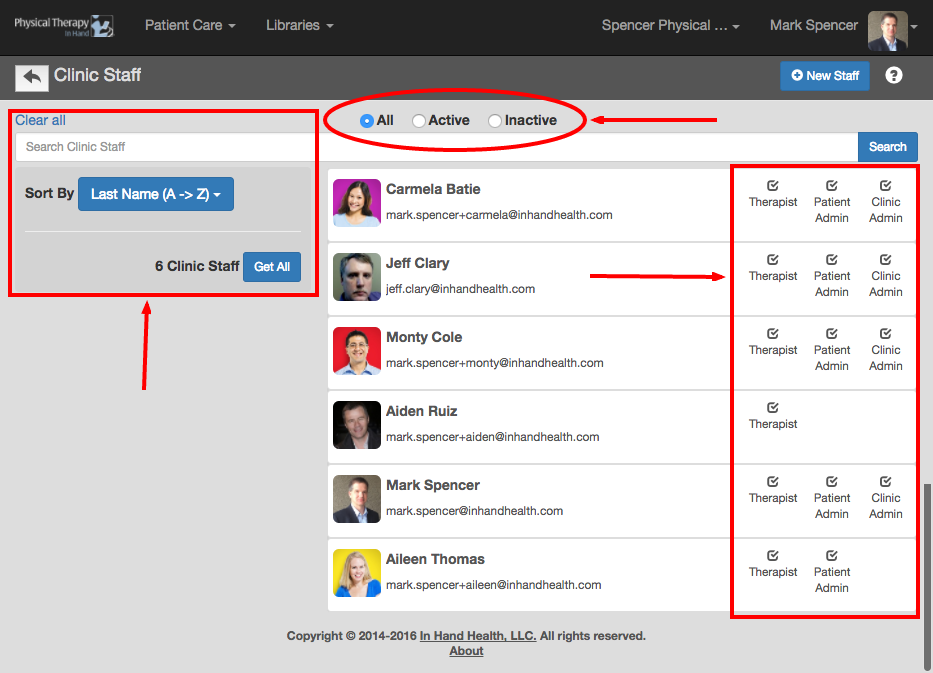
- View All, Active status, or Inactive status staff members by selecting the radio buttons at the top of the Staff screen.
- Sort or search by names through the options on the left.
- Review Staff roles on the right.