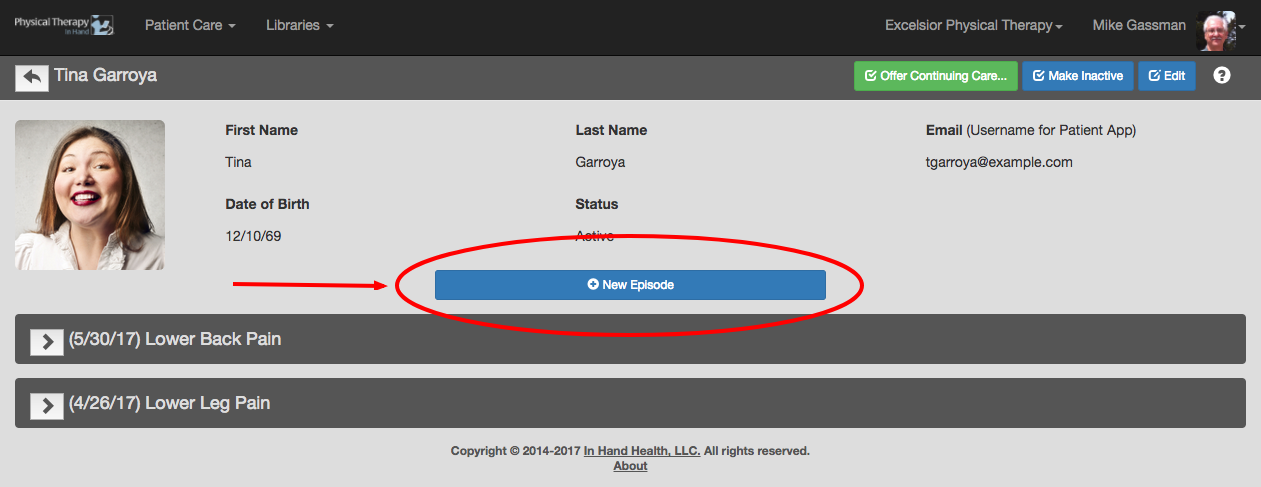
From the patient’s record, click or tap the New Episode button.
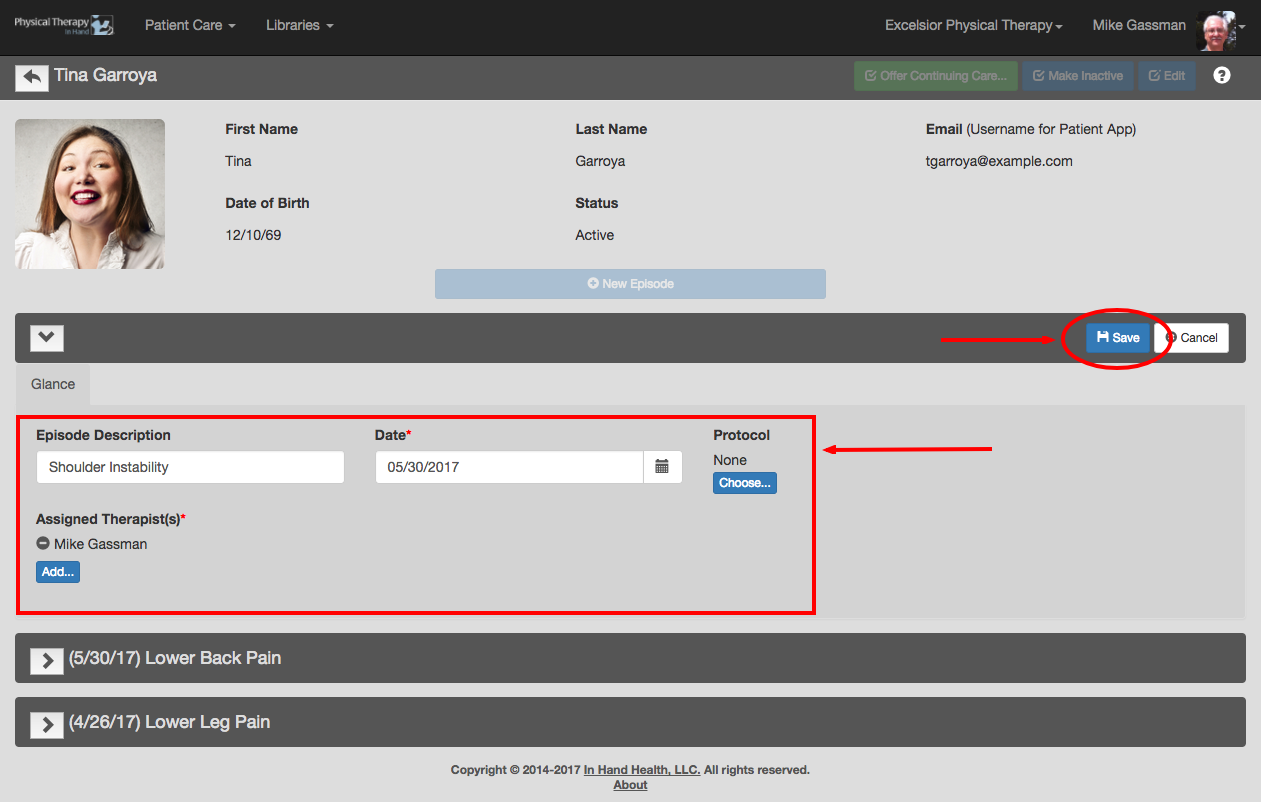
Enter the new episode’s description, date of creation, and assign a therapist to the episode. Optionally, select a protocol (if available).
Click the Save button to commit your changes.
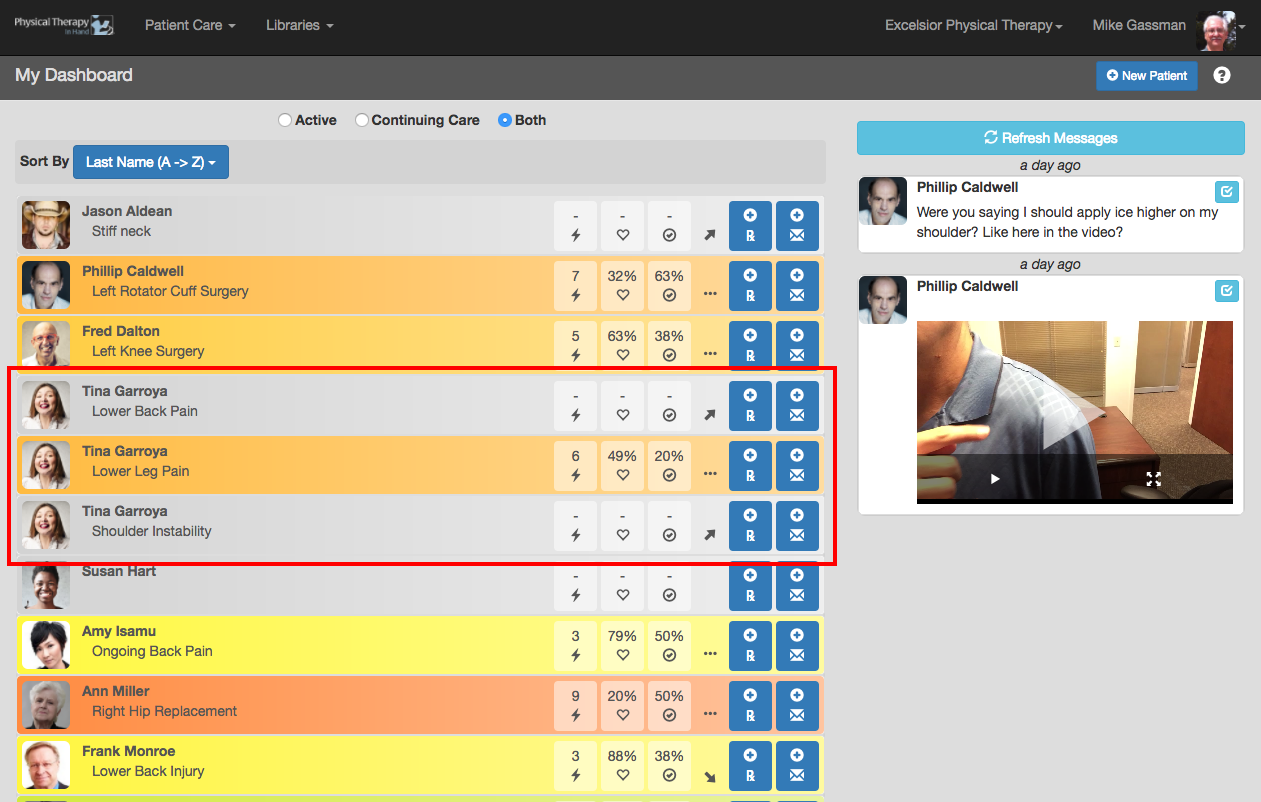
The patient’s new episode will then be available on the Patient Dashboard in addition to any other active episodes for the patient for the assigned therapist(s).