
Create private (HIPAA compliant) exercises for patients with the Therapist Essentials app (iOS/Apple or Android).
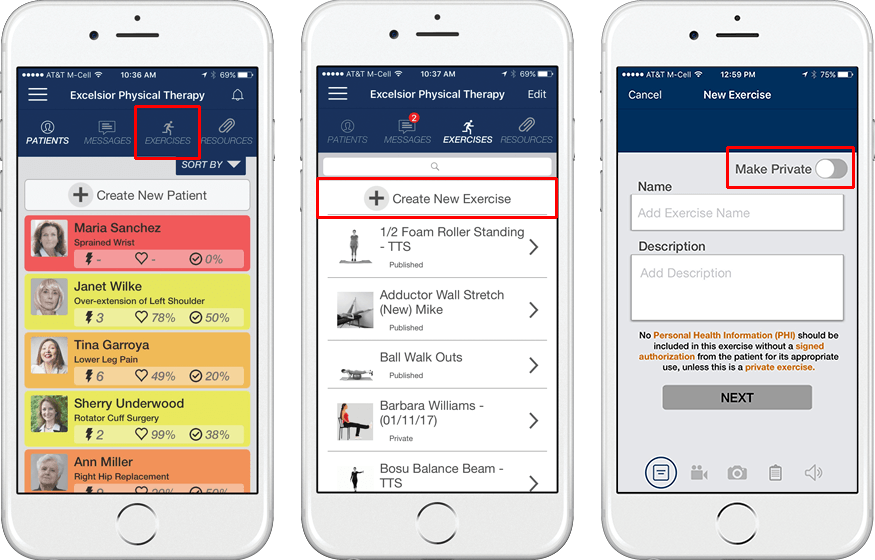
- Launch the app
- Tap Exercises
- Tap Create New Exercise
- Tap the Make Private switch
- Select the patient who will receive the private exercise
- Follow the remaining steps in the create exercise wizard
- Once complete, you can prescribe the exercise (send it to the patient's In Hand Health Patient App).
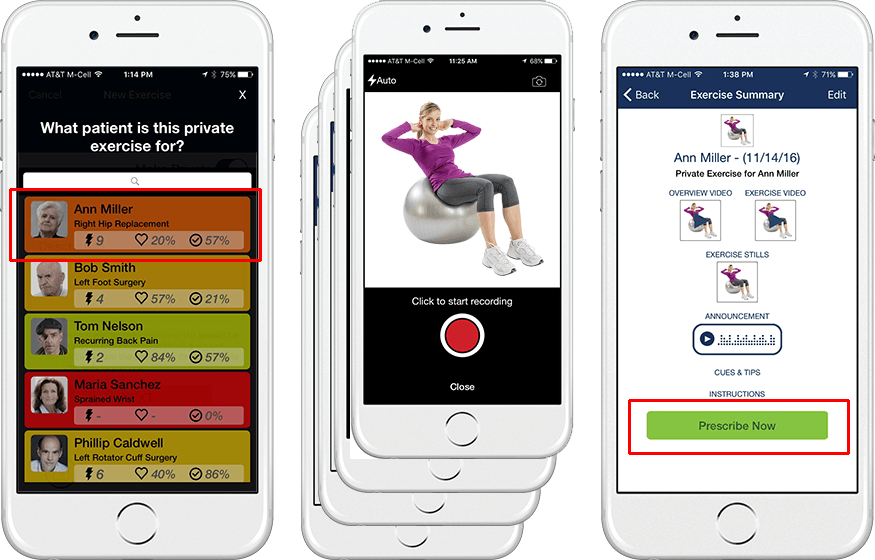
- It will also appear in the Exercises | My Exercises section of your PTIH account where it can be edited if necessary or added to a larger home exercise program for that patient.
- NOTE: Private exercises are just that -- private for the patient you select in Therapist Essentials. Other therapists can view the exercise in the My Clinic section of PTIH but it can only be prescribed to that patient by therapists who are assigned to him or her.