To send an audio recording (voice clip) to a patient:
- Enter the patient's Messages tab as described in the Messages: Overview and Access section.
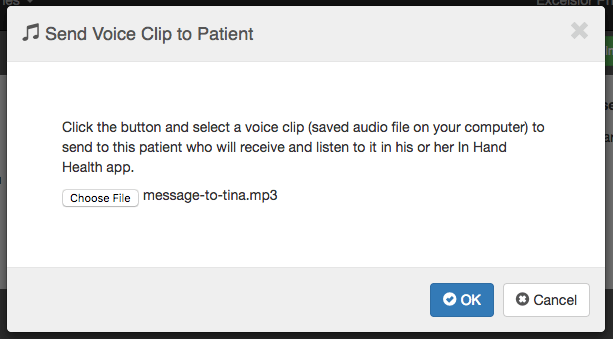
- Save the voice clip (MP3) you wish to send to your patient on your computer or tablet.
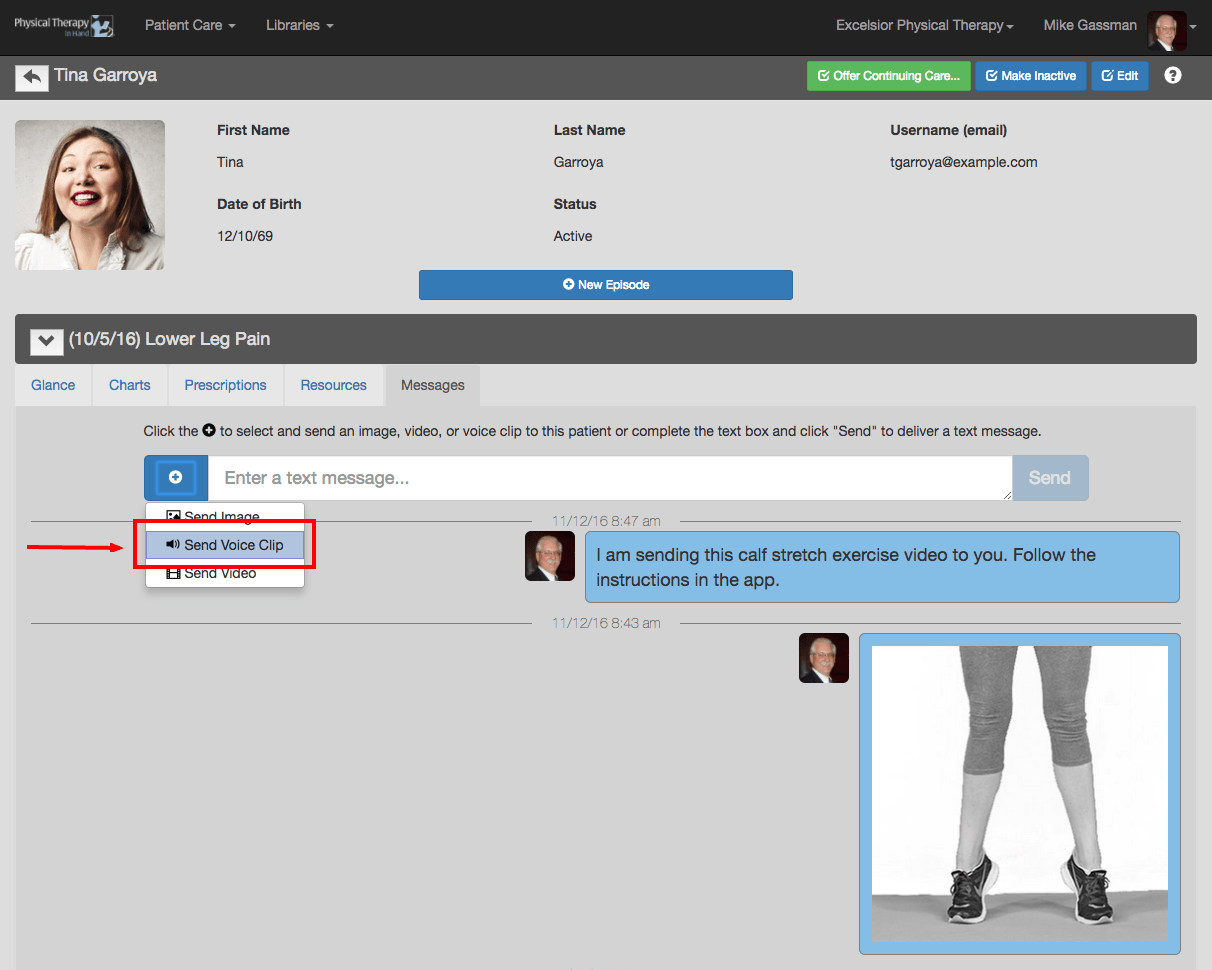
- Click the blue plus (+) button and select Send Voice Clip.
- Follow the instructions in the Send Image to a Patient dialog box and click OK.
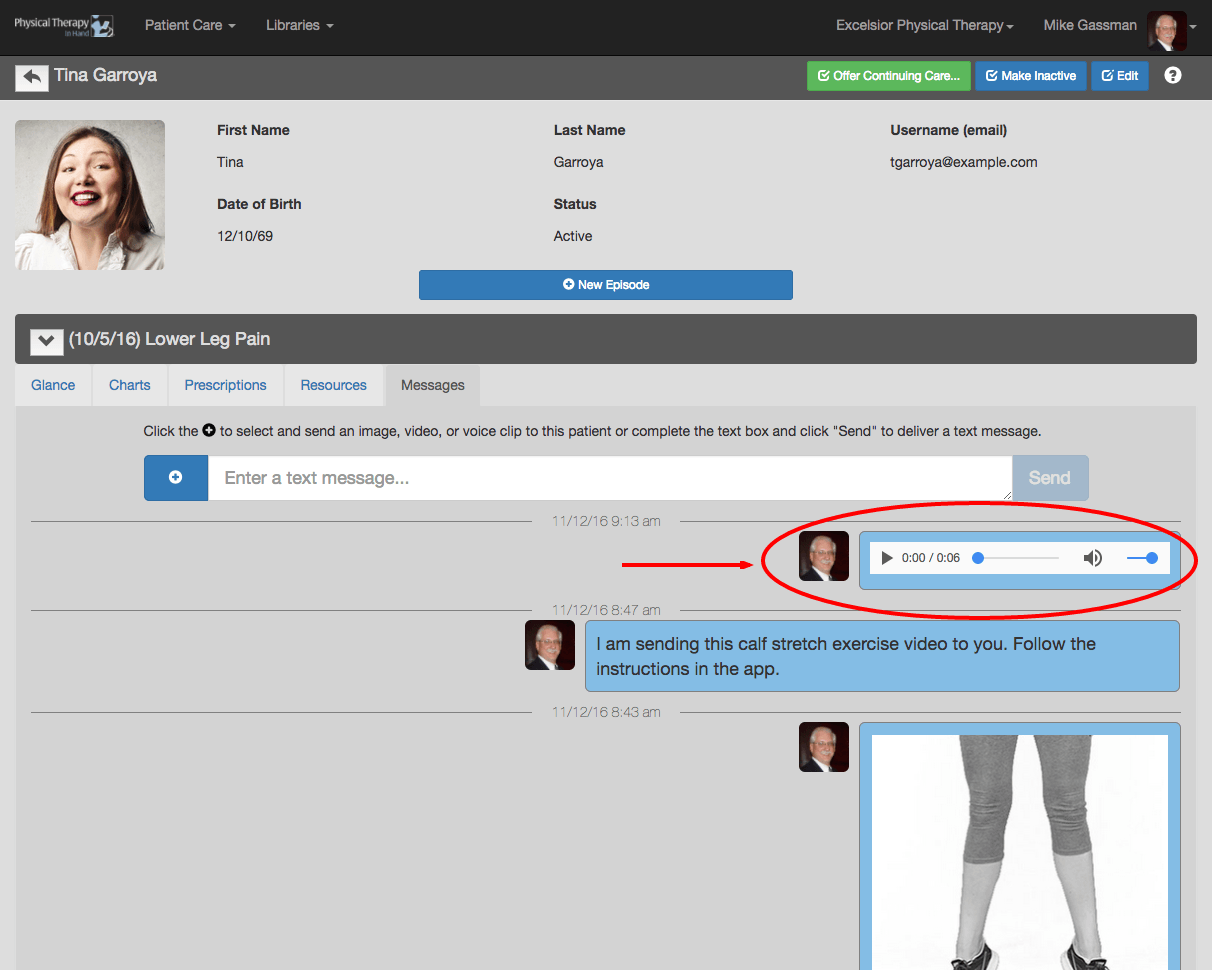
- The image will be instantly sent to the patient’s Messages section of his or her In Hand Health Patient App.