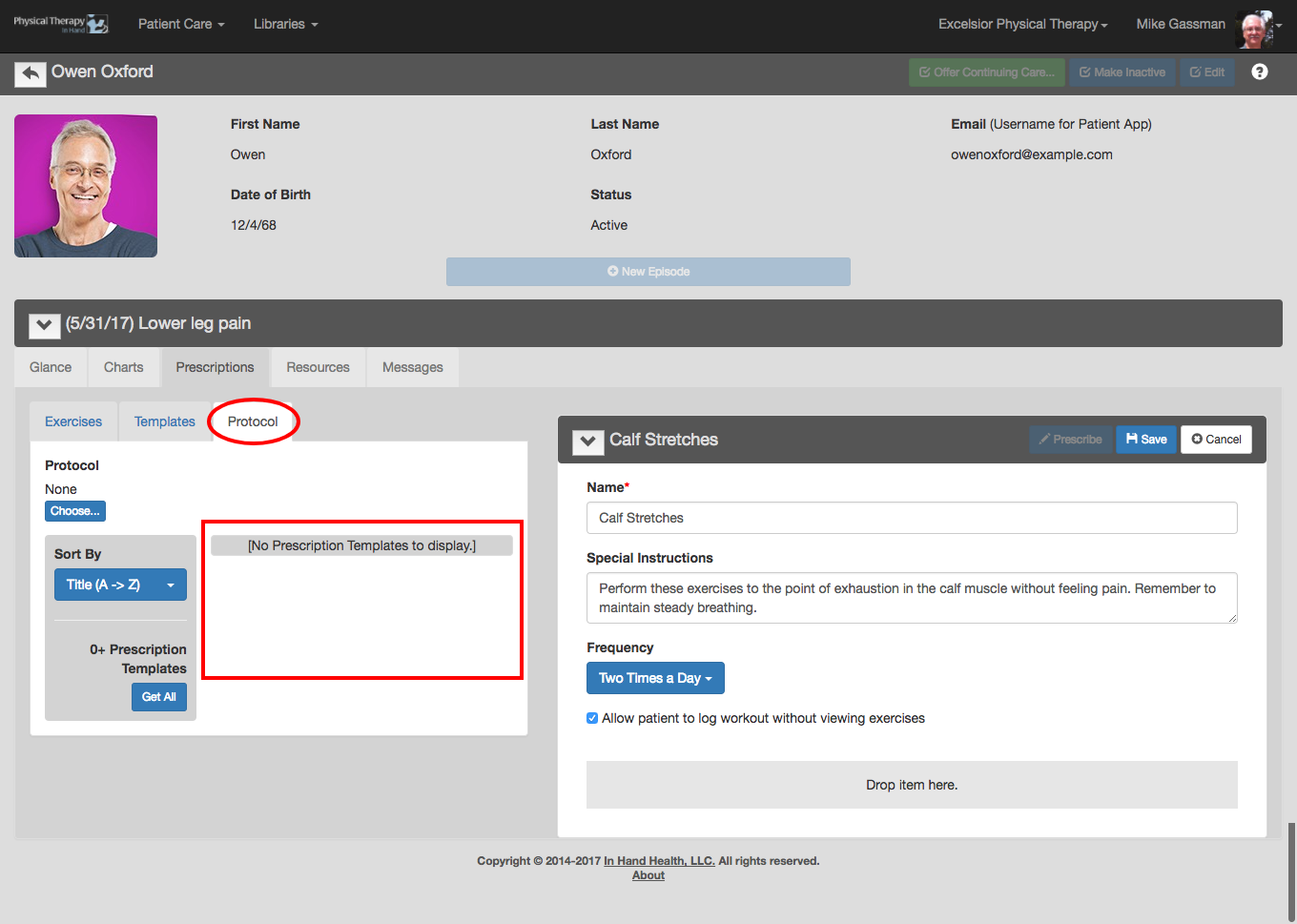
PTIH includes hundreds of video exercises you can include in your workouts for patients. They are included in the tabs on the left side of the Prescription tab.
Exercises
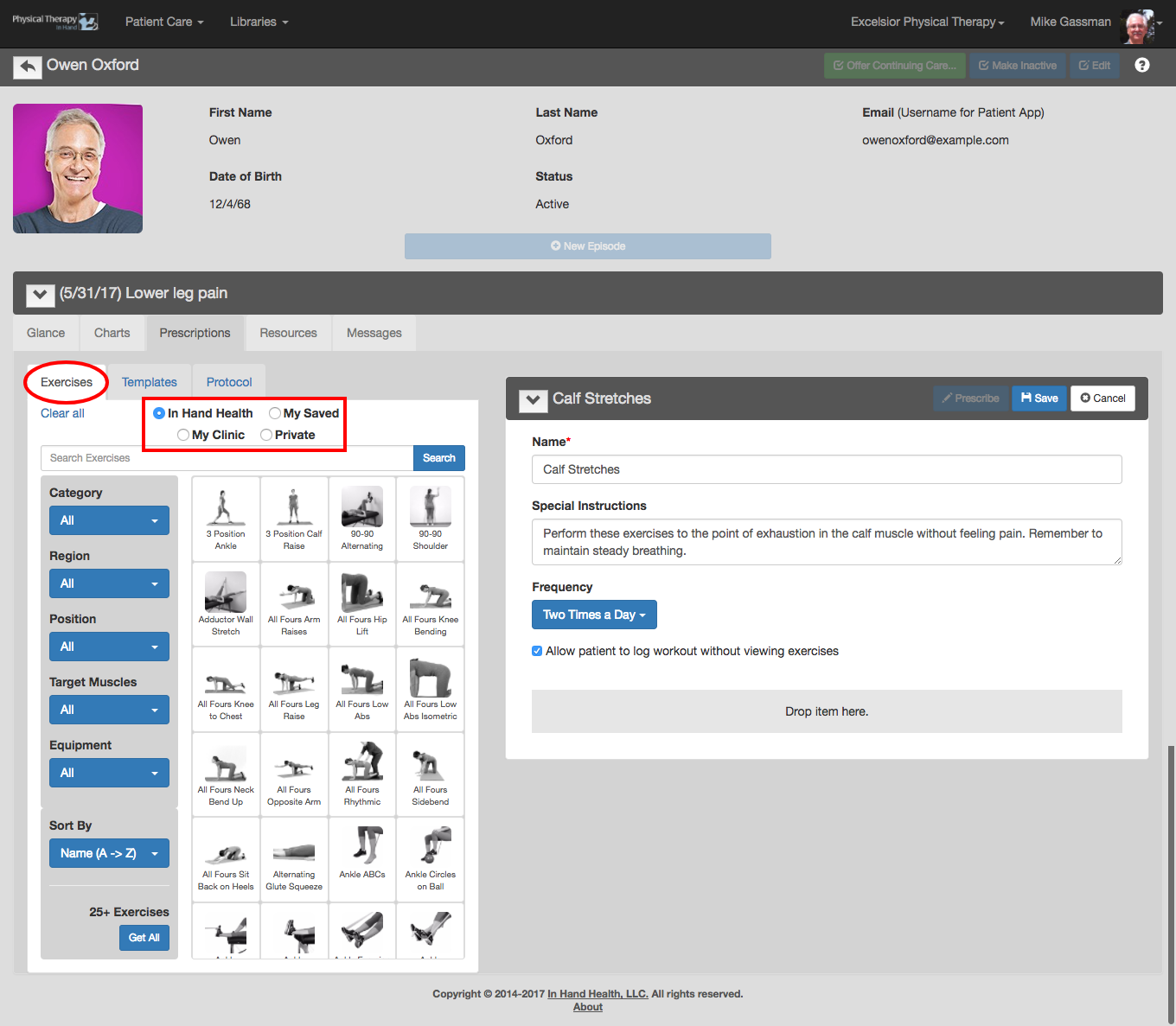
With the Exercises tab and In Hand Health radio button selected, you can review PTIH’s entire exercise video library. Use search field and filtering options in the blue dropdown menus (Category, Region, Position, Target Muscles, Equipment, and Sort By) to narrow selections.
The My Saved and My Clinic radio buttons in the Exercises tab reveal In Hand Health exercises that have been modified or video exercises created by you or co-workers. (See also Exercises: Viewing.)
The Private radio button reveals exercise that are for use in workouts for the current patient only. These exercises must be created with the Therapist Essentials app on your smartphone. (Note: You can edit a private video's details in PTIH if necessary.)
Templates
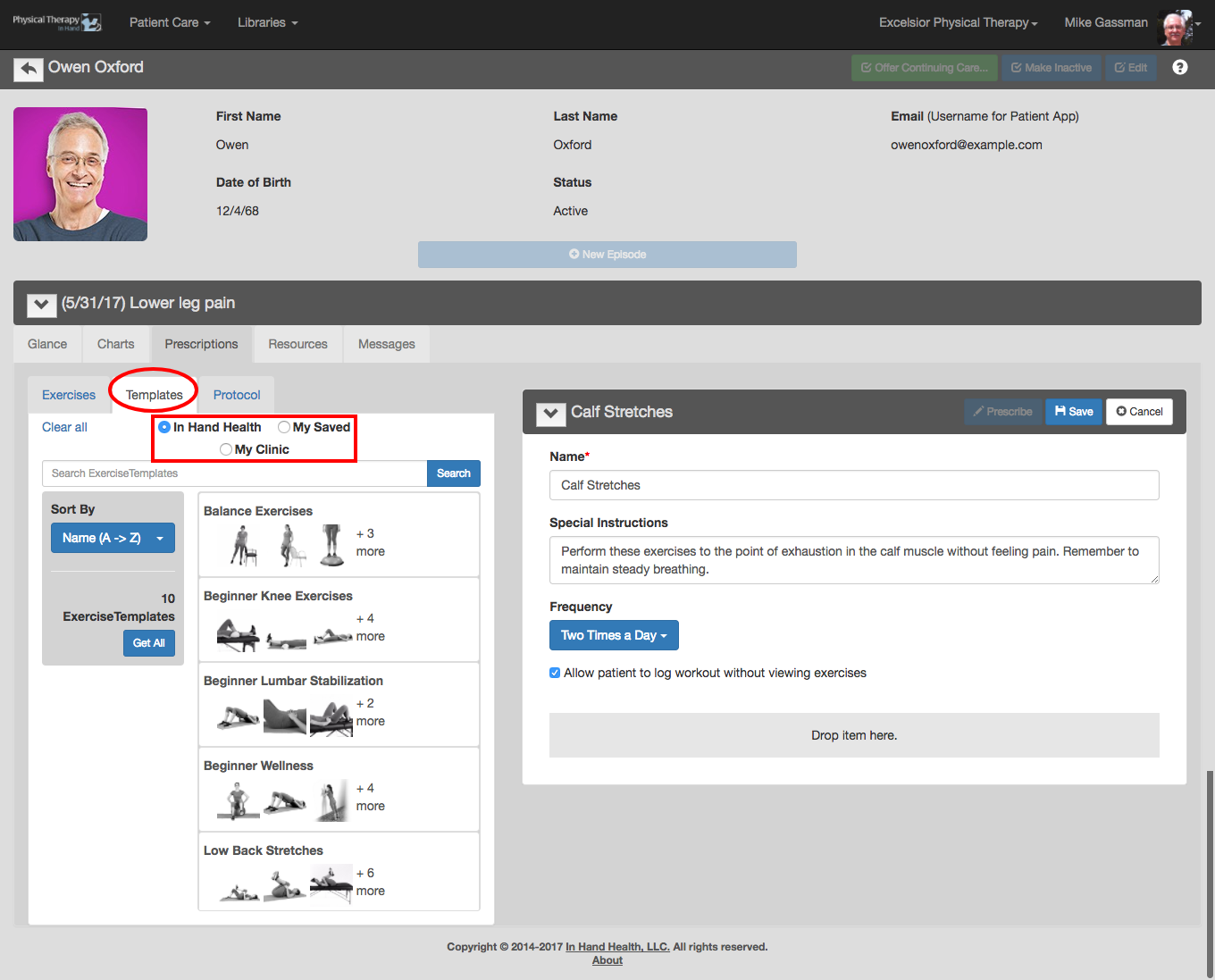
The Templates tab and its In Hand Health, My Saved, and My Clinic radio buttons reveal related exercises you, your co-workers, or In Hand Health has previously grouped together for quick access. For instance, if you have several exercises for lower back pain that you commonly prescribe, they can be grouped into a Template rather than having to search the entire exercise library for each individual exercise every time you need them. (See also Exercise Templates: Viewing.)
Protocol
The Protocol tab reveals the exercises of the selected protocol on the patient’s Glance tab. If this tab is empty, as in the following screen capture, no protocol has been selected. (See also Protocols: Viewing.)