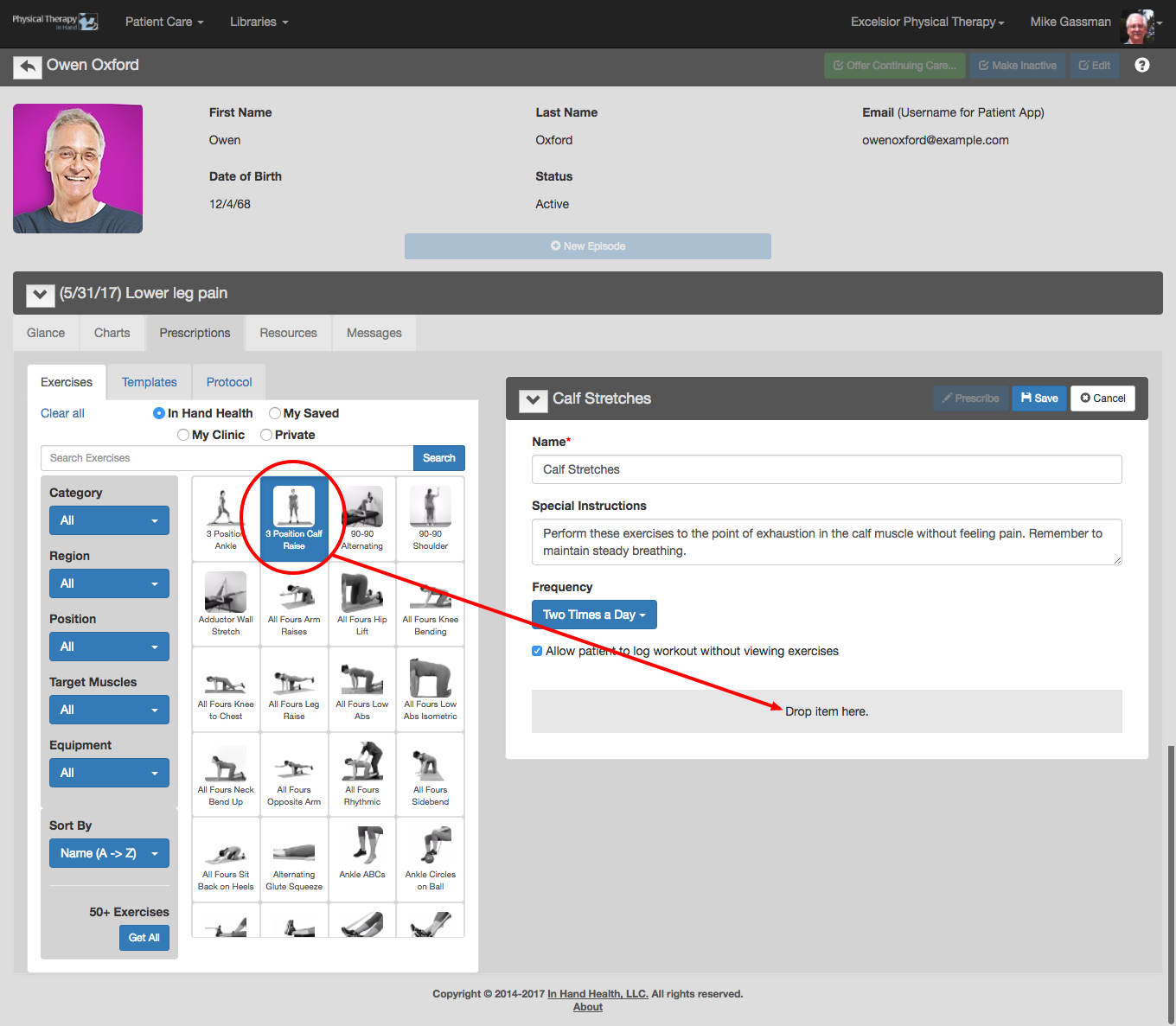
Click on the exercise thumbnail image, drag it to the “Drop Item Here” target zone at the bottom of your prescription, and let go of the mouse button. Alternative Method: Tap the thumbnail one time on a tablet (or hover over the thumbnail with the mouse pointer) then tap the "+" sign in the upper right of the thumbnail to add the exercise.
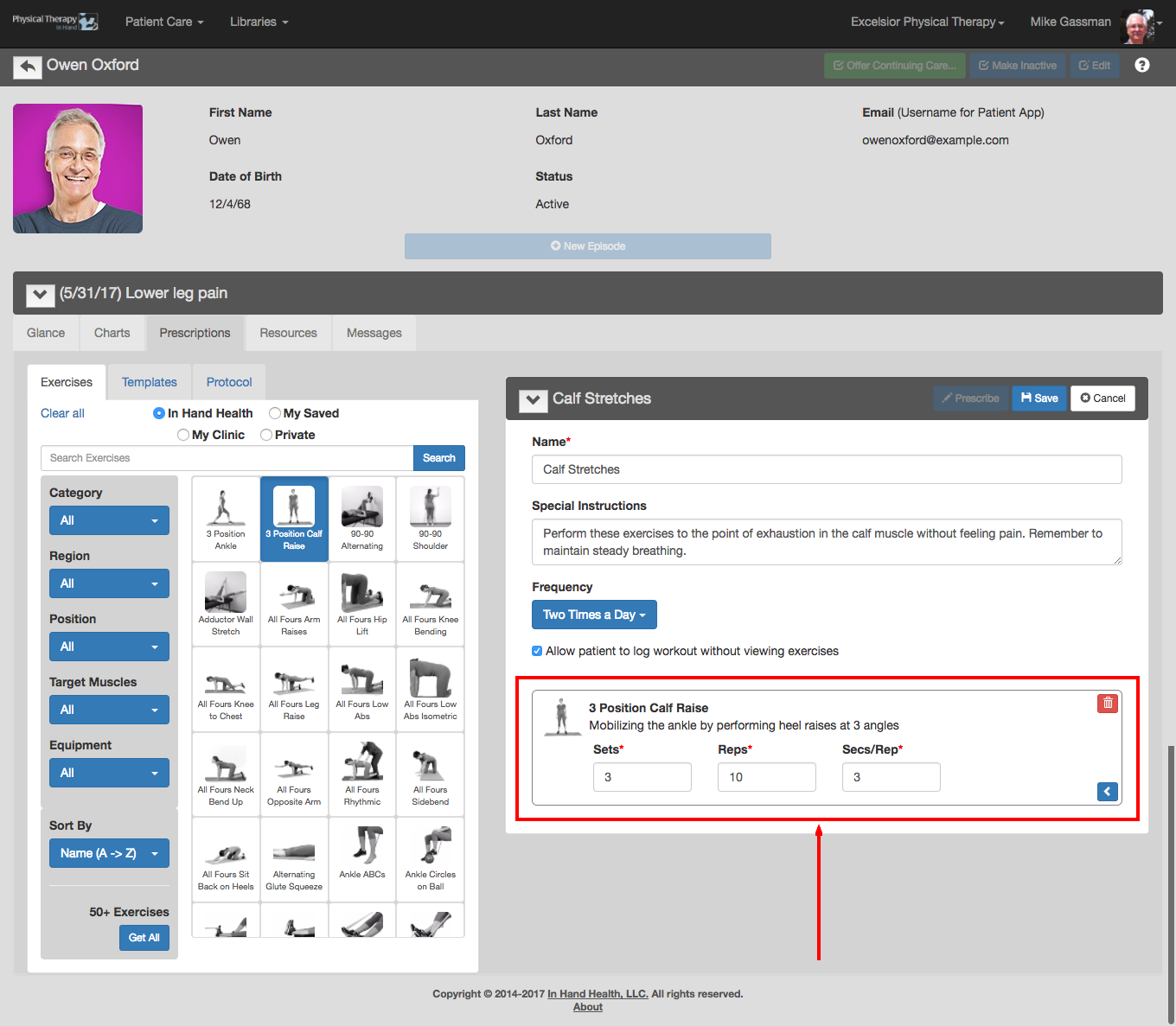
The selected exercise(s) with its details appear in the prescription box.
Change the default values for the exercises by entering new values in the provided fields.