NOTE: These steps cover how to create a video exercise from scratch, including supplying your own video (MP4) to use. While this approach works, consider using the Therapist Essentials app on your smartphone instead to create video exercises in PTIH more efficiently.
Check out this video on How To Create A New Exercise.
For step-by-step directions, simply follow these steps.
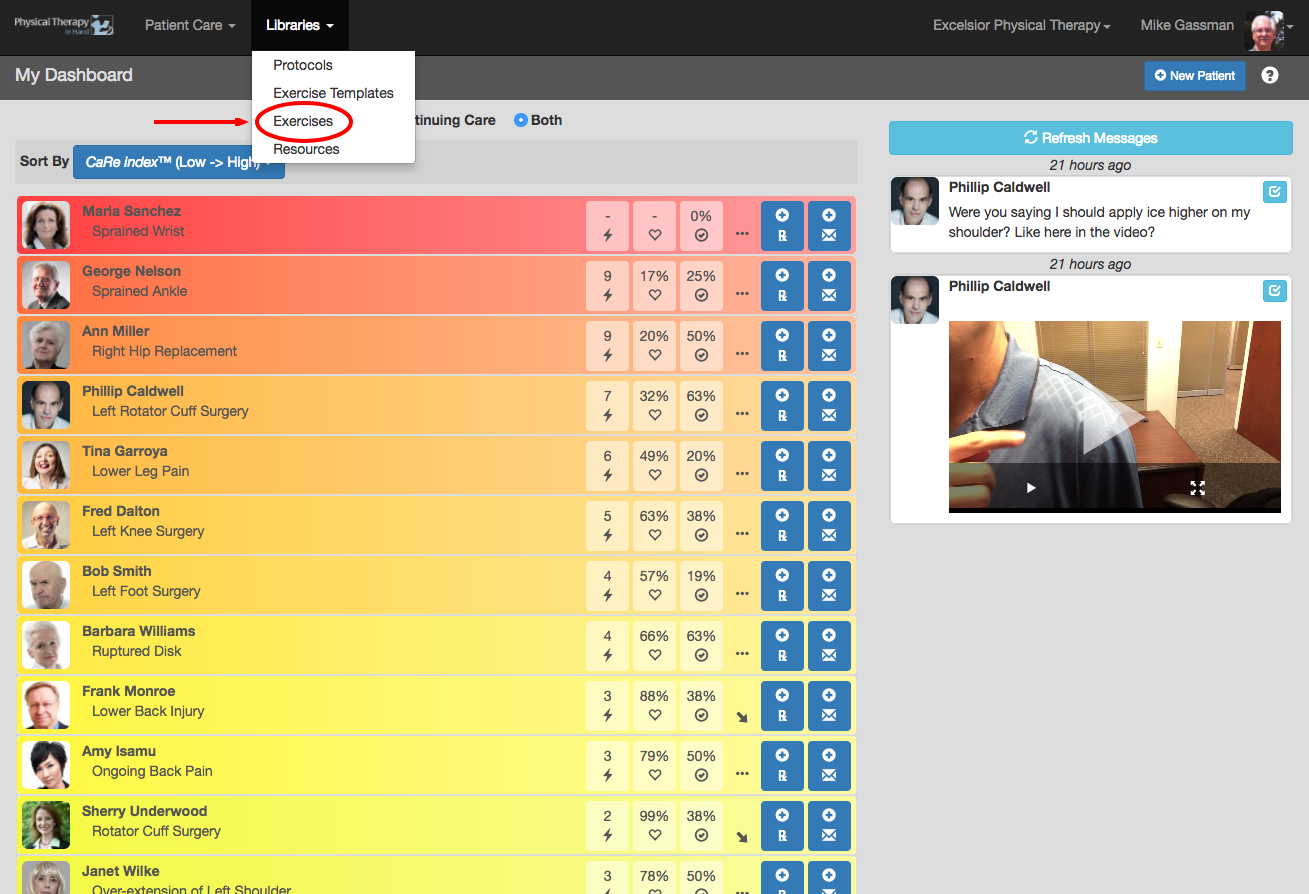
- Select Exercises from the Libraries menu.
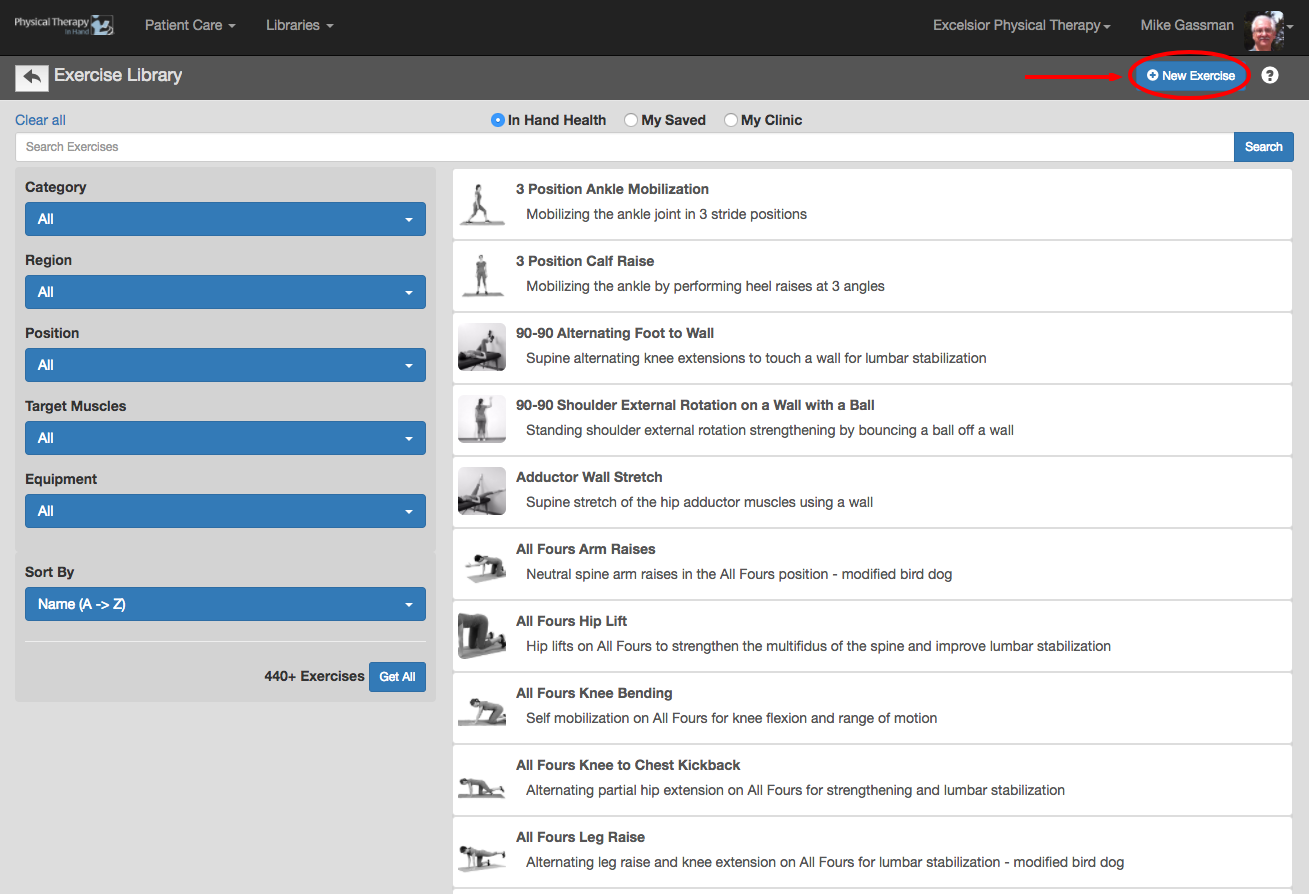
- Click or tap the blue New Exercise button to access the New Exercise template.
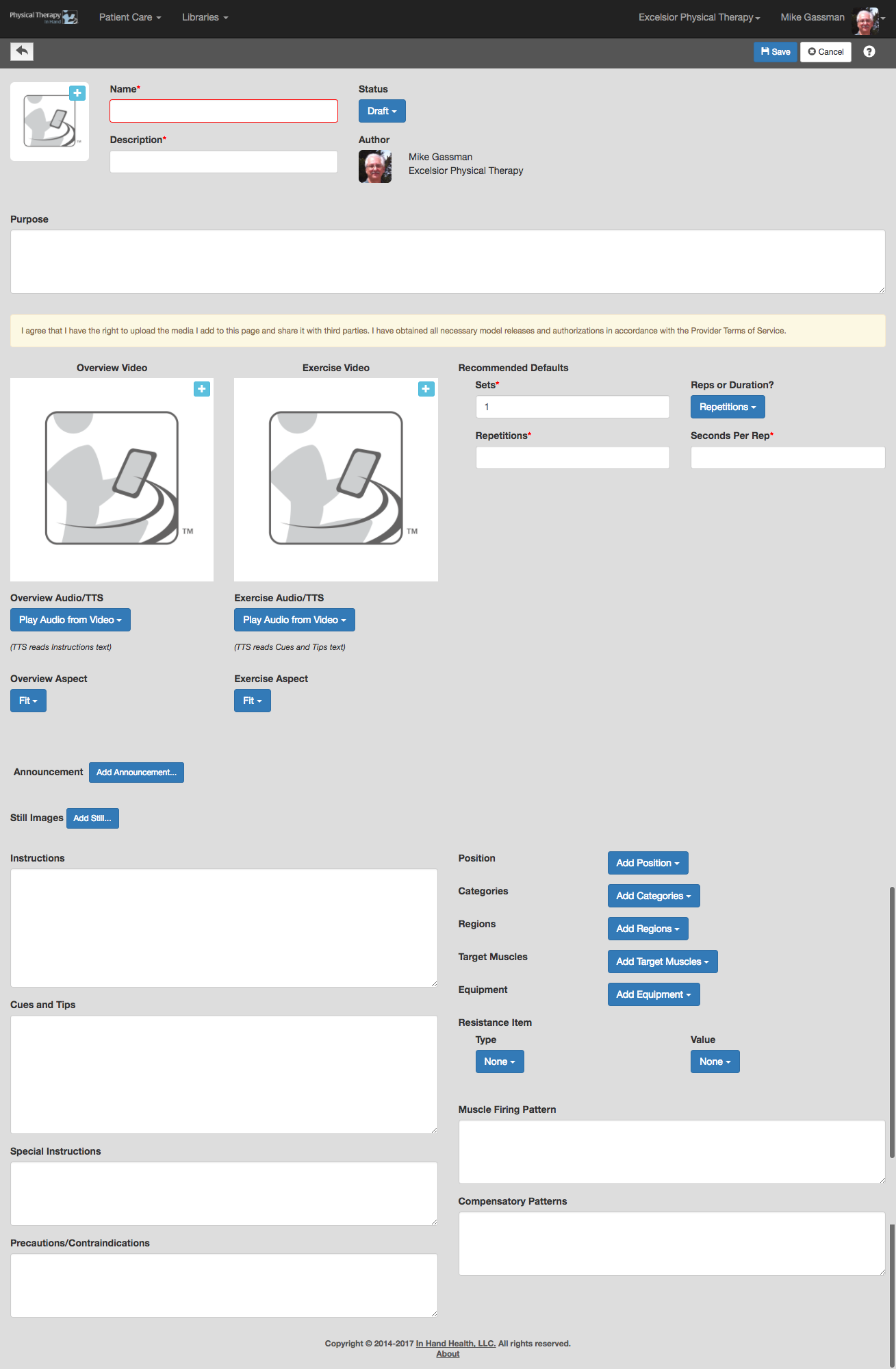
- The New Exercise template provides fields that enables you to build an exercise compatible with the In Hand Health Patient App.
- To upload a video (MP4), click the Plus (+) button next to the placeholder image in the Overview Video and/or Exercise Video sections and follow the instructions in the Choose Overview Video or Choose Exercise Video dialog box.
- Selecting “Use Text-To-Speech (TTS)” in the Audio dropdown replaces the audio in the video with Siri on iOS and equivalent on Android phones reading the text in the Instructions and the Cues and Tips boxes.
- Select the aspect ratio for each video. Fit shrinks the video proportionally to the frame size and leaves letterbox (empty) content on the top and bottom if there is space. Fill uses the center of the video as an anchor point and scales the video up until the frame is completely filled. The Fill option may crop the left and right portions of some videos during the re-sizing process so you will want to be sure most of the action is in the center of the video frame.
- To upload a video (MP4, MOV), click the blue Add Announcement button and follow the directions in the Choose Exercise Announcement dialog box.
- Required: The new exercise’s Name, Description, Sets, Repetitions, Seconds per Rep (or the Sets and Duration per Set), a thumbnail still image, an audio announcement, and at least one video are required before the exercise can be saved.
- Overview and Exercise Videos: Create and upload an Overview video that demonstrates the exercise and an Exercise video (required) that demonstrates at least one complete set. (See Appendix A: Best Practices for Building an Exercise or skip all these steps and use the Therapist Essentials app on your smartphone instead.)
- Announcement: Record and upload a short audio message (MP3) that states the name of the exercise. It is played for the patient at the beginning of the exercise video.
- Remaining Fields: The remaining fields are not required but are recommended. Completing this data will enable PTIH to better index the exercise for search purposes and track its usage on a deeper basis.
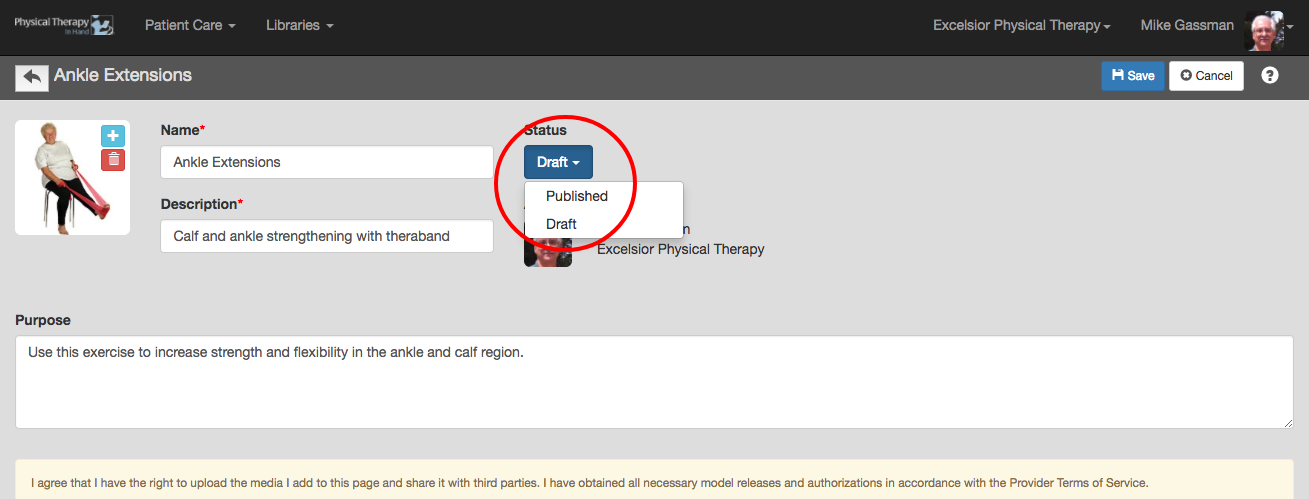
- Click the blue Save button to commit your changes noting the item selected in the Status dropdown:
- If set to Draft, your new exercise will be saved in the My Saved section of Exercises with a “Draft” notation and you will not be able to use it in a prescription or protocol.
- If set to Published, your new exercise will be saved in the My Saved and My Clinic sections of Exercises and will also be available for use in a prescription or protocol. (See Prescriptions: Getting Started.)