IMPORTANT: A Clinic Administrator must have completed the Continuing Care setup process, including the Deposit Account section, before you can offer a Continuing Care subscription to a patient.
- Offer a patient a Continuing Care™ subscription from within his or her record on a patient-by-patient basis.
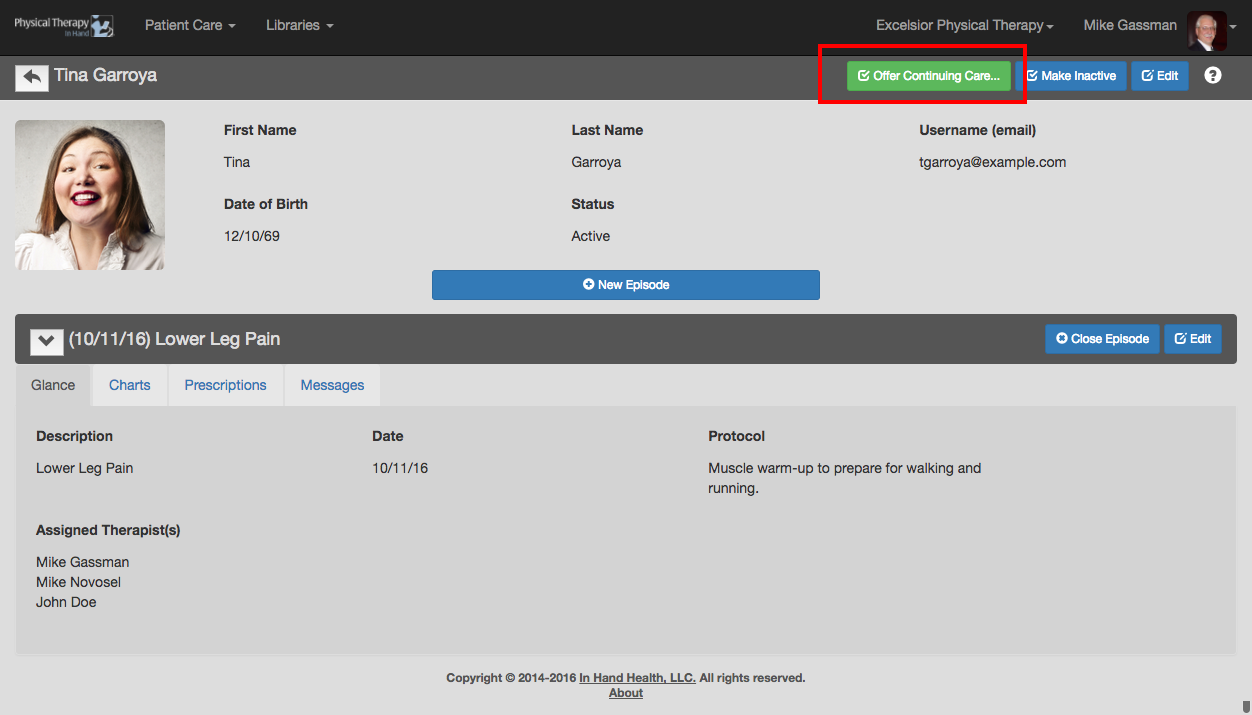
- Access a patient record. (See how.)
- Click or tap the green Offer Continuing Care button.
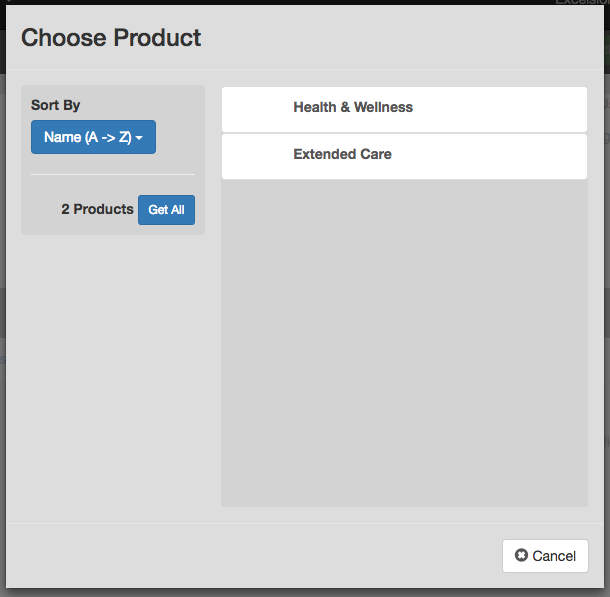
- Tap or click on a Continuing Care product.
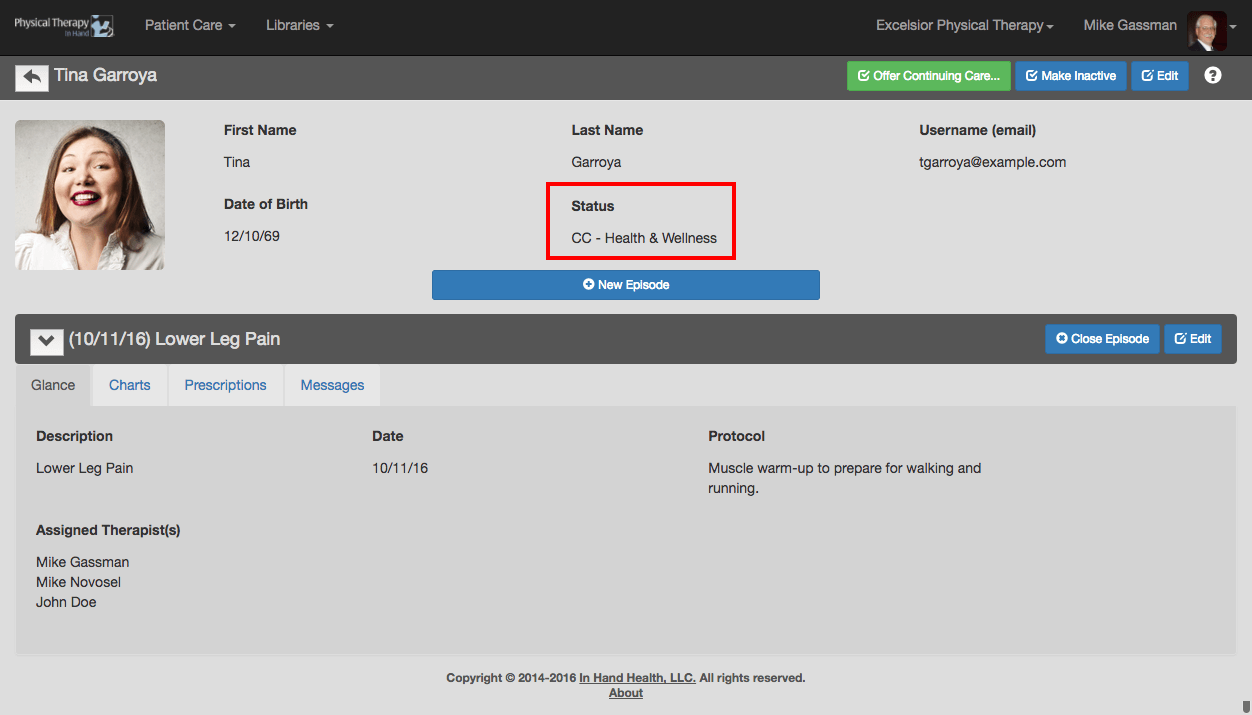
- This action puts the patient into a 3-day period to accept and pay for the Continuing Care subscription.
- The patient will receive an email with instructions on how to pay securely online with a credit card and their Status will change to reflect the subscription with a "CC" notation. If he or she does not pay within the 3 days, their status will return to Active.
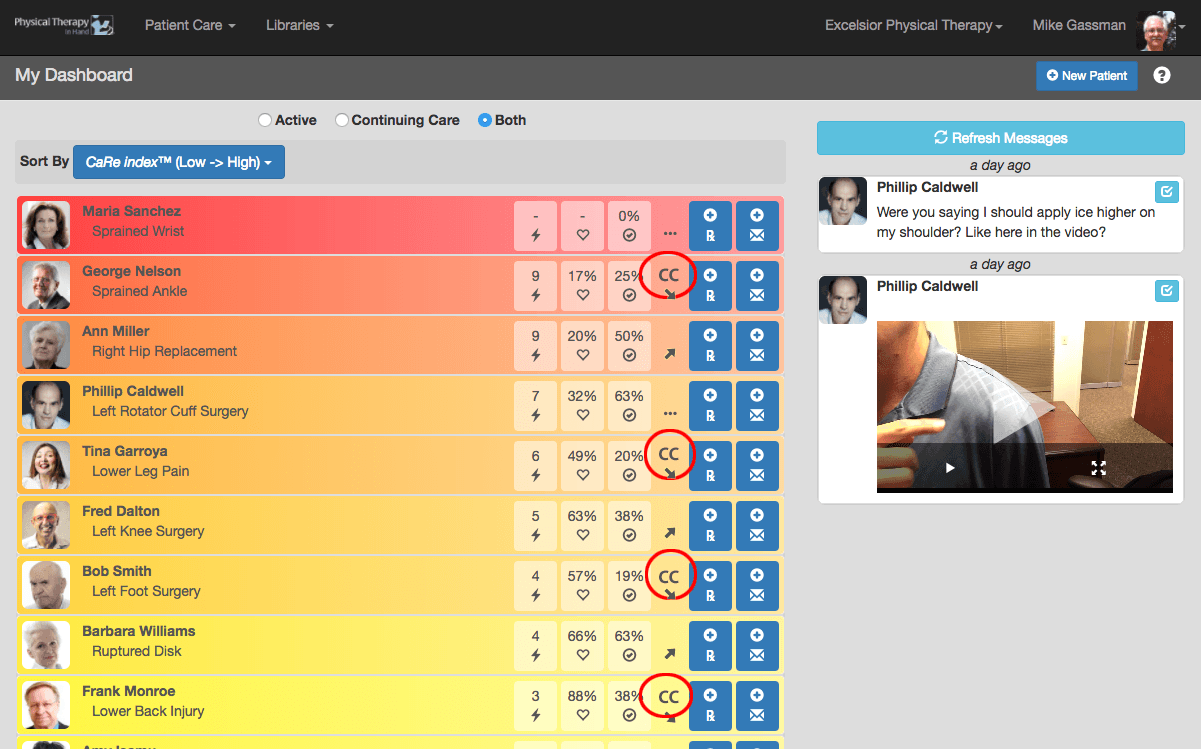
- Patients with an active Continuing Care subscription (or if they are in the 3-day waiting period to pay) also have a "CC" in their capsule on the dashboard.