Use these steps to edit an Exercise you did not originally create:
- If you are not the author of an exercise and would like to edit its contents, you must create a New Version.
- Locate an exercise and click or tap on its capsule to view its details. (See Exercises: Viewing.).
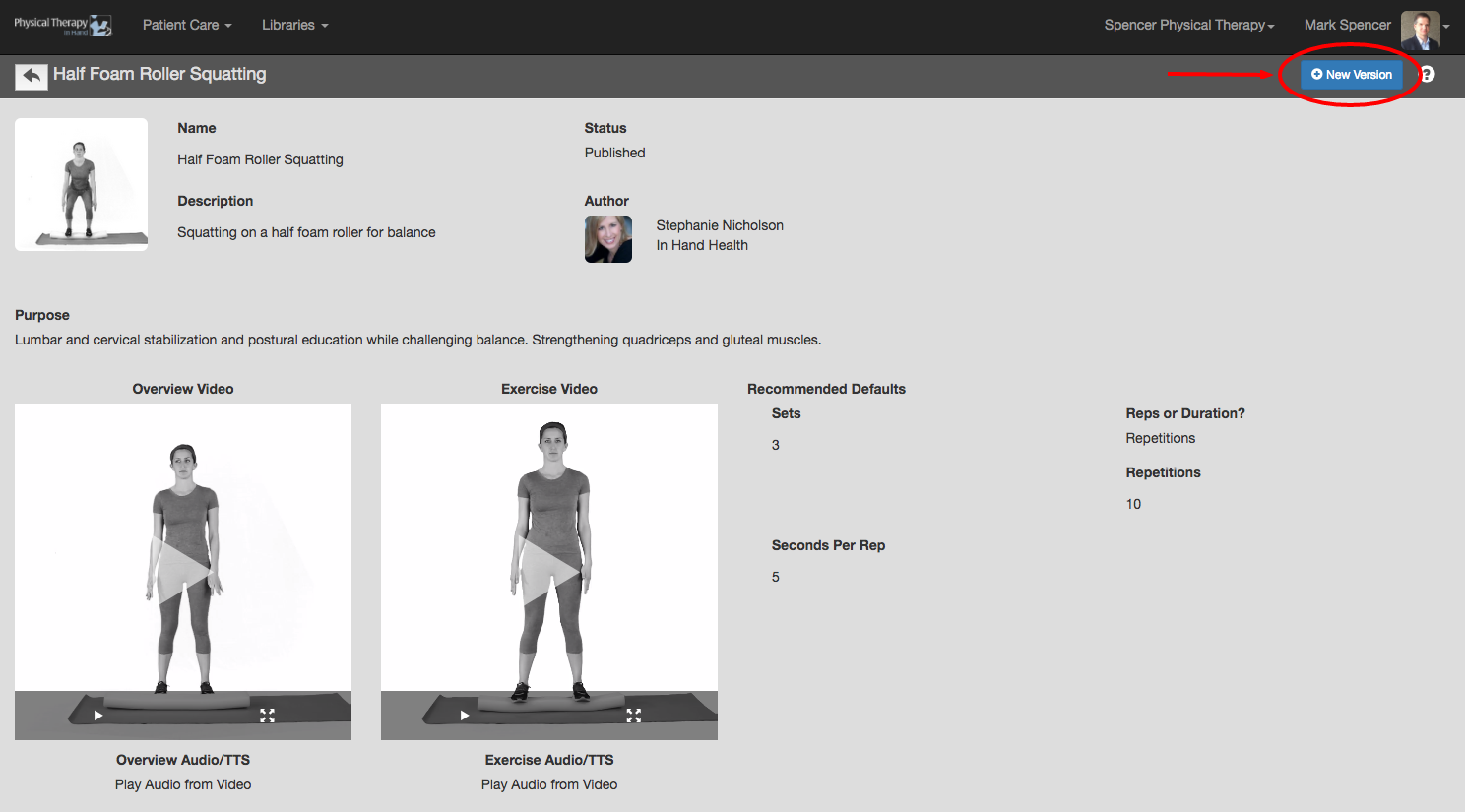
- Click the blue New Version button to place the exercise into edit mode.
- Make your changes and updates in the editable fields.
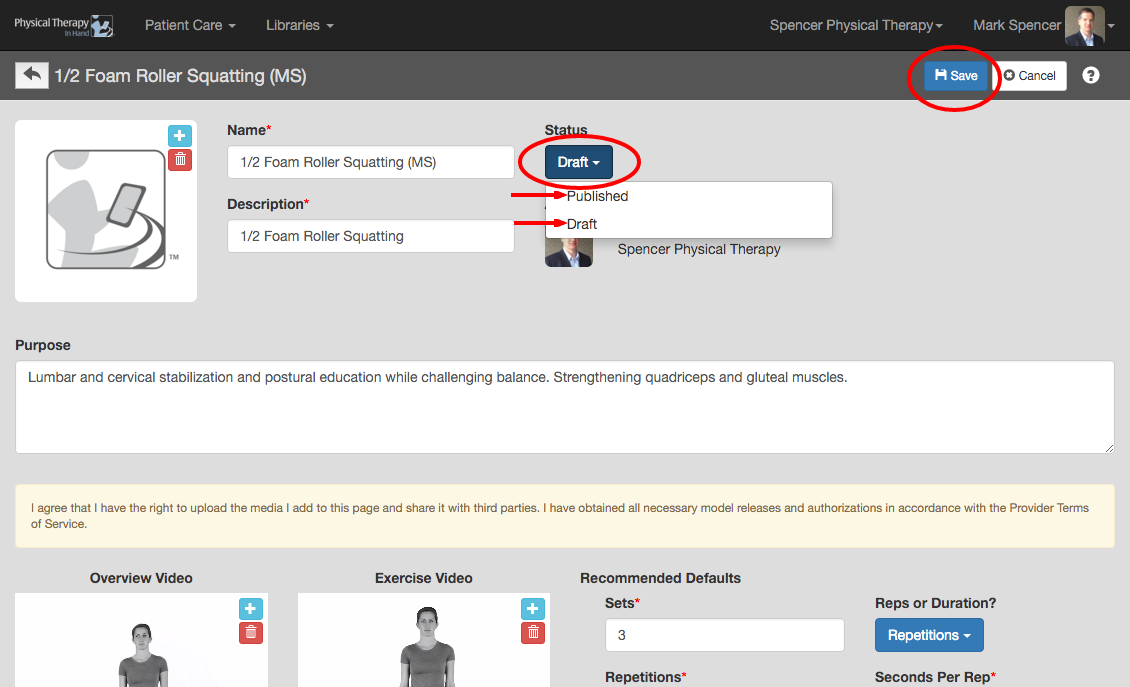
- Click the blue Save button to commit your changes noting the item selected in the Status dropdown:
- If set to Draft, your updated exercise will be saved in the My Saved section of Exercises with a “Draft” notation and you will not be able to use it in a prescription or protocol.
- If set to Published, your updated exercise will be saved in the My Saved and My Clinic sections of Exercises and will also be available for use in a prescriptions or protocol by you or other therapists in your clinic. (See Prescriptions: Getting Started.)